9 Team Double Elimination Bracket PDF Template

9 Team Double Elimination Bracket PDF Template

A 9 Team Double Elimination Bracket is a tournament format that allows teams to compete until they lose twice, ensuring that every team has a fair chance to advance. This structure includes a winner's bracket and a loser's bracket, providing a comprehensive way to determine the ultimate champion. To get started, fill out the form by clicking the button below.

Article Guide

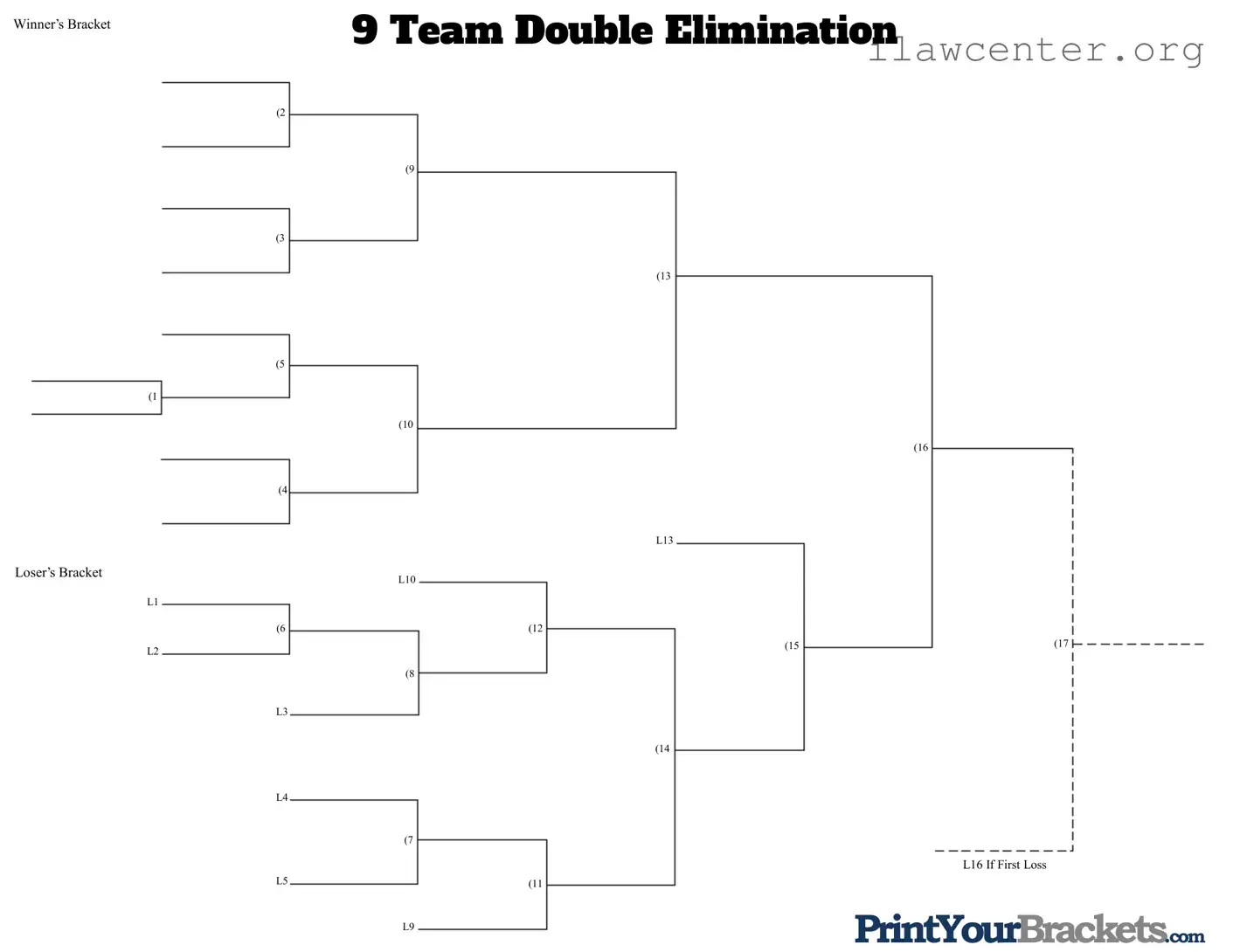
The 9 Team Double Elimination Bracket is a structured format that ensures every participating team has a fair chance to compete, even after an initial loss. This bracket allows for a robust competition by dividing teams into a winner's bracket and a loser's bracket. In the winner's bracket, teams face off in a series of matches, with the victors advancing and the defeated dropping into the loser's bracket. Here, teams have the opportunity to continue competing, as they can still reach the finals if they win subsequent matches. This format is particularly beneficial in tournaments where the goal is to determine a true champion, as it minimizes the impact of a single loss. Each matchup is strategically arranged, ensuring that teams are paired based on their performance, and the progression through the brackets is clearly defined. The layout includes various levels of competition, culminating in a final showdown that pits the last remaining teams against each other for the championship title. Understanding the intricacies of this bracket can enhance the experience for both participants and spectators alike.

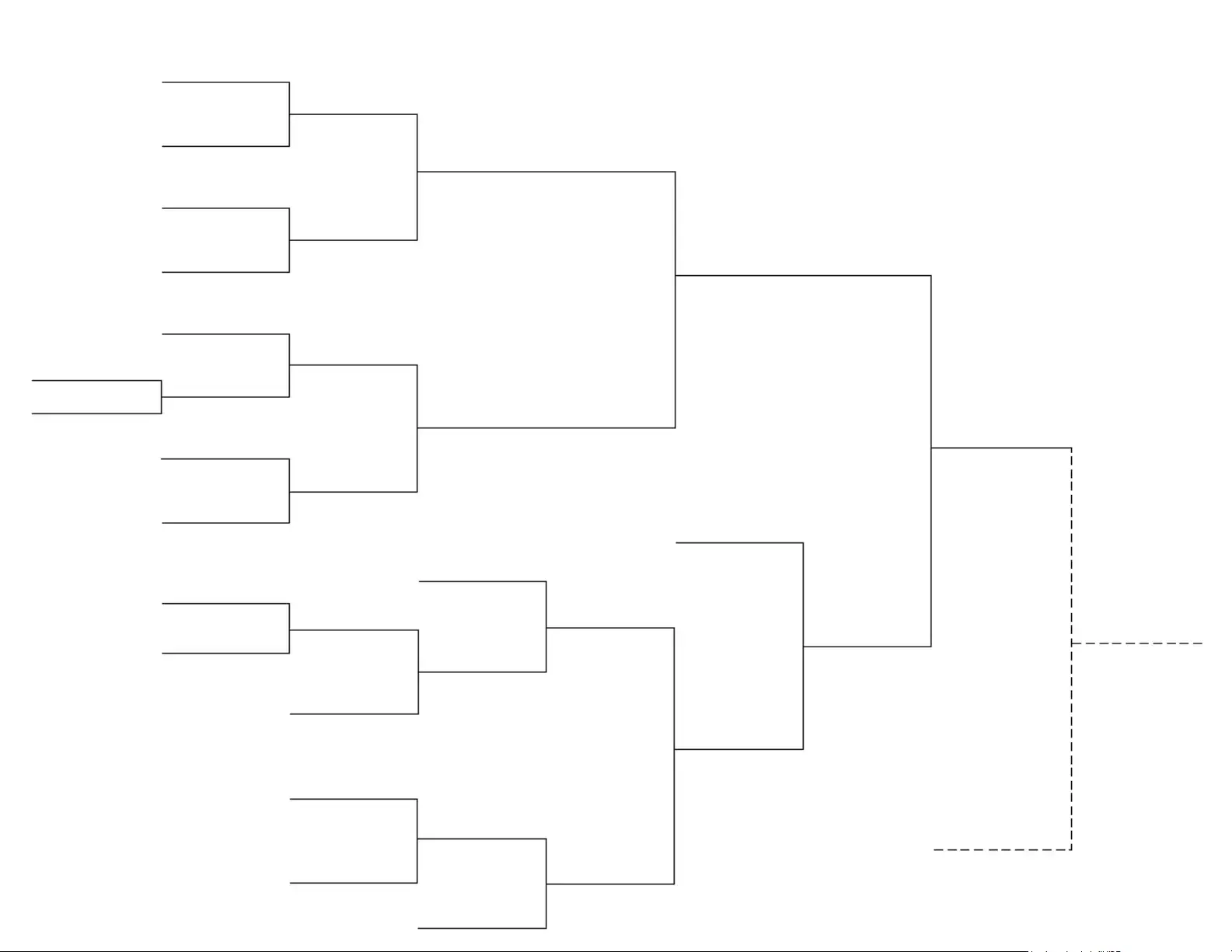
9 Team Double Elimination Bracket Preview

9 Team Double Elimination
(1
(2
(5
(3
Winners Bracket
Losers Bracket
L2
(4
(6
(13
(8
(12
(15
(16
(14
(11
(9
(17
(7
(10
L1
L10
L9
L13
L3
L4
L5
L16 If First Loss
PrintYourBrackets.com

File Properties

Fact Name Description
Structure A 9 team double elimination bracket allows teams to lose once before being eliminated from the tournament.
Winner's Bracket The winner's bracket consists of teams that have not lost any matches. Teams that win continue to advance here.
Loser's Bracket Teams that lose in the winner's bracket drop down to the loser's bracket, where they have a chance to stay in the competition.
Match Progression Teams progress through matches in a series of rounds until a champion is determined, based on their performance.
Finals The finals typically feature the last remaining team from the winner's bracket against the last remaining team from the loser's bracket.

Instructions on Utilizing 9 Team Double Elimination Bracket

Once you have the 9 Team Double Elimination Bracket form ready, you can start filling it out. This process involves entering team names and organizing matchups. Follow these steps to complete the form accurately.

  1. Begin by identifying the teams participating in the tournament. You will need the names of all 9 teams.
  2. Locate the section for the Winner's Bracket on the form. This is where the initial matchups will be recorded.
  3. Fill in the names of the teams in the Winner's Bracket. Start with the first matchup, placing the names in the designated spaces.
  4. Continue filling out the Winner's Bracket by following the sequence of matchups. Ensure that the winners from each round are moved to the next level of the bracket.
  5. After completing the Winner's Bracket, move to the Loser's Bracket section. This is where teams that lose will have their matches recorded.
  6. Enter the first loss outcomes in the Loser's Bracket. Use the designated labels (L1, L2, etc.) to track which teams are eliminated.
  7. Continue to fill out the Loser's Bracket as teams lose and get eliminated. Make sure to keep track of which teams are still in the tournament.
  8. Double-check all entries for accuracy. Ensure that team names are correctly placed and matchups are clear.

Important Facts about 9 Team Double Elimination Bracket

What is a 9 Team Double Elimination Bracket?

A 9 Team Double Elimination Bracket is a tournament format that allows each team to lose twice before being eliminated. It consists of two main brackets: the Winner's Bracket and the Loser's Bracket. Teams that lose in the Winner's Bracket have a chance to continue competing in the Loser's Bracket, giving them a second chance to win the tournament.

How does the bracket structure work?

The bracket starts with the Winner's Bracket, where teams compete in matches. The winners move forward in the Winner's Bracket, while the losers drop down to the Loser's Bracket. The Loser's Bracket allows teams to fight for a chance to re-enter the final stages of the tournament. Ultimately, the last remaining team in the Loser's Bracket will face the team from the Winner's Bracket in the championship match.

What happens if a team loses in the Loser's Bracket?

If a team loses in the Loser's Bracket, they are eliminated from the tournament. Since this format allows for two losses, a team must win in the Loser's Bracket to have a chance at the championship. The last team standing in the Loser's Bracket will have the opportunity to challenge the Winner's Bracket champion.

How are matches scheduled in a 9 Team Double Elimination Bracket?

Matches are typically scheduled based on the results of previous rounds. The initial matchups are determined by a seeding process, which may be based on team rankings or random draws. As the tournament progresses, the winners advance while the losers are placed in the appropriate brackets. Scheduling can vary, but the goal is to ensure that all teams have a fair chance to compete.

Can a team come back after losing in the Winner's Bracket?

Yes, a team that loses in the Winner's Bracket can continue competing in the Loser's Bracket. This format allows teams to recover from an initial loss and still have a path to the championship. However, they must win all subsequent matches in the Loser's Bracket to remain in contention for the title.

Common mistakes

Filling out a 9 Team Double Elimination Bracket form can be tricky. One common mistake is not properly understanding the structure of the bracket. Each team must be placed in the correct position to reflect their matchups accurately. If a team is placed incorrectly, it can lead to confusion and errors in the progression of the tournament.

Another frequent error is failing to label the teams correctly. Participants should ensure that each team is clearly identified. Using abbreviations or nicknames can lead to misunderstandings, especially if multiple teams have similar names. Clarity is essential for smooth communication throughout the tournament.

Some people neglect to keep track of the winners and losers of each match. It is important to update the bracket after each game. If the bracket is not updated promptly, it can cause significant delays and misunderstandings about who is advancing in the tournament.

In addition, many individuals overlook the importance of checking for correct match sequencing. The winner's bracket and loser's bracket must be filled out in a way that reflects the outcomes of previous matches. Skipping this step can result in mismatched games and confusion about which teams are playing next.

Another mistake is not using the correct format for scores. Scores should be clearly noted next to each matchup. If scores are missing or unclear, it can complicate the understanding of team standings and progression.

Some participants forget to consider the implications of a team's first loss. In a double elimination format, a team is not eliminated until they lose twice. Failing to account for this can lead to incorrect assumptions about which teams are still in the tournament.

Additionally, individuals may not leave enough space for updates. A bracket can become cluttered if there isn’t enough room to write scores or changes. This can make it difficult to read and follow the tournament's progress.

Lastly, people sometimes fail to communicate changes or updates to all participants. Keeping everyone informed is crucial for a successful tournament. If updates are not shared, some teams may be unaware of their next matchups, leading to confusion and delays.

Documents used along the form

A 9 Team Double Elimination Bracket form is essential for organizing tournaments where teams have a chance to continue competing even after losing a match. To effectively manage the tournament, several other forms and documents are often used alongside this bracket. Here’s a list of some of these important documents:

  • Team Registration Form: This document collects essential information about each team participating in the tournament, including team names, player details, and contact information.
  • Match Schedule: A schedule outlines when and where each match will take place, helping teams and spectators keep track of the tournament's progress.
  • Score Sheets: These sheets are used to record the scores of each match. They are crucial for maintaining accurate records and determining which teams advance in the bracket.
  • Player Waiver Forms: Participants often need to sign waivers to acknowledge the risks involved in competition. This protects organizers from liability issues.
  • Official Rules Document: This document outlines the rules and regulations governing the tournament, ensuring that all teams understand the expectations and guidelines.
  • Referee Assignment Sheet: This sheet lists the referees assigned to each match, ensuring that there are qualified officials present to oversee the games.
  • Feedback Forms: After the tournament, feedback forms allow participants to share their experiences. This information can help improve future events.
  • Brackets Update Sheet: As the tournament progresses, this sheet tracks changes in the bracket, including match results and team placements.
  • Prize Distribution Form: This document outlines how prizes will be awarded to the winning teams, ensuring transparency and fairness in the distribution process.

Using these documents in conjunction with the 9 Team Double Elimination Bracket form can streamline tournament organization, enhance communication, and ensure a smooth experience for everyone involved.

Similar forms

The 9 Team Double Elimination Bracket form serves as an essential tool for organizing competitive events. Its structure is similar to several other documents that facilitate the management of tournaments, competitions, and various forms of elimination processes. Below is a list of ten documents that share similarities with the 9 Team Double Elimination Bracket form:

  • Single Elimination Bracket: This document outlines a straightforward tournament format where teams face off in a series of matches. The loser of each match is eliminated, similar to the elimination process in the double elimination format.
  • Round Robin Schedule: In a round robin tournament, each team competes against every other team. This document organizes matches and standings, much like how the double elimination bracket organizes matchups and tracks progress.
  • Swiss System Pairing: Used primarily in chess and other games, this document pairs competitors based on their performance in previous rounds. Like the double elimination bracket, it aims to ensure fair competition and progression based on results.
  • Playoff Bracket: This document illustrates the path teams take in the playoffs of a league. It shares the concept of elimination, as teams are removed from contention after losing, akin to the double elimination structure.
  • Challenge Ladder: This format allows participants to challenge one another in a ranked system. Similar to the double elimination bracket, it incorporates the idea of progression and elimination based on performance.
  • League Table: In sports leagues, a league table tracks team standings based on wins, losses, and draws. It shares the competitive aspect of the double elimination bracket, where performance directly affects placement.
  • Knockout Tournament Format: This document outlines tournaments where teams are eliminated after a loss. It mirrors the double elimination format by emphasizing the importance of each match in determining a champion.
  • Seeded Tournament Bracket: This document organizes teams based on their rankings or seeds. It serves a similar purpose to the double elimination bracket, ensuring that the strongest teams face off against each other in a structured manner.
  • Competition Entry Form: While not a bracket itself, this document collects participant information and preferences. It supports the organization of tournaments, just as the double elimination bracket organizes matchups.
  • Event Schedule: This document outlines the timing and order of events in a competition. Like the double elimination bracket, it helps participants understand when and how they will compete.

Dos and Don'ts

When filling out the 9 Team Double Elimination Bracket form, there are several important considerations to keep in mind. Here are five things to do and five things to avoid:

  • Do ensure that all team names are clearly written and correctly spelled.
  • Do double-check the placement of teams in the winner's and loser's brackets.
  • Do follow the format provided in the form for entering match results.
  • Do keep track of each team's losses to accurately update the bracket.
  • Do maintain a copy of the filled-out bracket for your records.
  • Don't use nicknames or abbreviations for team names unless specified.
  • Don't forget to update the bracket after each match is completed.
  • Don't leave any sections of the form blank; complete all required fields.
  • Don't make any alterations to the form that could confuse the results.
  • Don't ignore the rules of the tournament when filling out the bracket.

Misconceptions

Understanding a 9 Team Double Elimination Bracket can be tricky. Here are some common misconceptions about how it works:

  1. All teams have to lose twice to be eliminated.

    While it’s true that a team must lose two matches to be completely out, they can still advance in the tournament after their first loss by moving to the loser’s bracket.

  2. The winner’s bracket is always easier.

    This isn’t necessarily true. While teams in the winner's bracket have not lost yet, they face strong opponents. Every match is competitive.

  3. A team can only come back from the loser’s bracket.

    Teams can indeed come back from the loser’s bracket to win the tournament. However, they must win every match from that point onward.

  4. The final match is always between two teams from the winner's bracket.

    This is a common misunderstanding. If a team from the loser’s bracket wins the final match, they can force a rematch against the winner’s bracket team.

  5. All matches are elimination matches.

    Not every match is an elimination match. Only those in the loser’s bracket are elimination matches. The winner’s bracket matches determine who moves forward without elimination.

  6. There are no ties in double elimination.

    Correct, there are no ties. If a match ends in a tie, additional rules will determine the winner, such as extra innings or sudden death.

  7. Every team plays the same number of matches.

    This is false. Some teams may play more matches than others, especially if they lose and have to fight their way through the loser’s bracket.

  8. Seeding doesn’t matter.

    Seeding can greatly impact the bracket. Higher-seeded teams often face lower-seeded teams in the early rounds, making it easier for them to advance.

  9. Once a team loses, they have no chance to win.

    This is incorrect. A team that loses can still win the tournament by winning all their remaining matches in the loser’s bracket.

Key takeaways

Understanding how to fill out and utilize the 9 Team Double Elimination Bracket form is essential for organizing tournaments effectively. Here are some key takeaways:

  • The bracket consists of two main sections: the Winner's Bracket and the Loser's Bracket.
  • Each team must be assigned a unique position within the bracket to avoid confusion.
  • Teams that lose in the Winner's Bracket will move to the Loser's Bracket, providing them with a second chance.
  • The format allows for a maximum of two losses before elimination from the tournament.
  • Matchups are determined based on the results of previous games, so tracking scores is crucial.
  • Each round of matches should be clearly labeled to maintain clarity for participants and spectators.
  • It is important to update the bracket after each match to reflect the current standings.
  • Teams in the Loser's Bracket can still advance to the final match if they continue to win.
  • Clear communication with all teams regarding their match times and locations will enhance the tournament experience.
  • Consider using digital tools or software to manage the bracket for larger tournaments, which can streamline updates and notifications.