
Cg 20 26 04 13 PDF Template

Cg 20 26 04 13 PDF Template

The CG 20 26 04 13 form is an endorsement that modifies a Commercial General Liability policy to include additional insured parties. This form ensures that designated individuals or organizations are covered for specific liabilities arising from the actions of the policyholder. Understanding this form is crucial for businesses looking to protect themselves and their partners effectively.

Ready to secure your coverage? Fill out the form by clicking the button below.

Article Guide

The CG 20 26 04 13 form is an important endorsement in the realm of commercial general liability insurance. It specifically addresses the inclusion of additional insured parties, ensuring that designated individuals or organizations are protected under the primary policy. This endorsement modifies the existing coverage, expanding the definition of who qualifies as an insured. It is crucial for businesses to understand that this form applies to liability arising from bodily injury, property damage, or personal and advertising injury linked to the actions or omissions of the named insured or their representatives. The coverage is applicable during ongoing operations or in relation to premises owned or rented by the insured. However, it is essential to note that the protection afforded to additional insureds is limited by law and cannot exceed what is stipulated in any relevant contracts or agreements. Furthermore, the limits of insurance for these additional insured parties are carefully defined, ensuring that the coverage provided aligns with contractual obligations or the limits set forth in the policy declarations. Understanding these aspects can help businesses navigate their insurance needs more effectively, providing peace of mind in their operations.

Cg 20 26 04 13 Preview

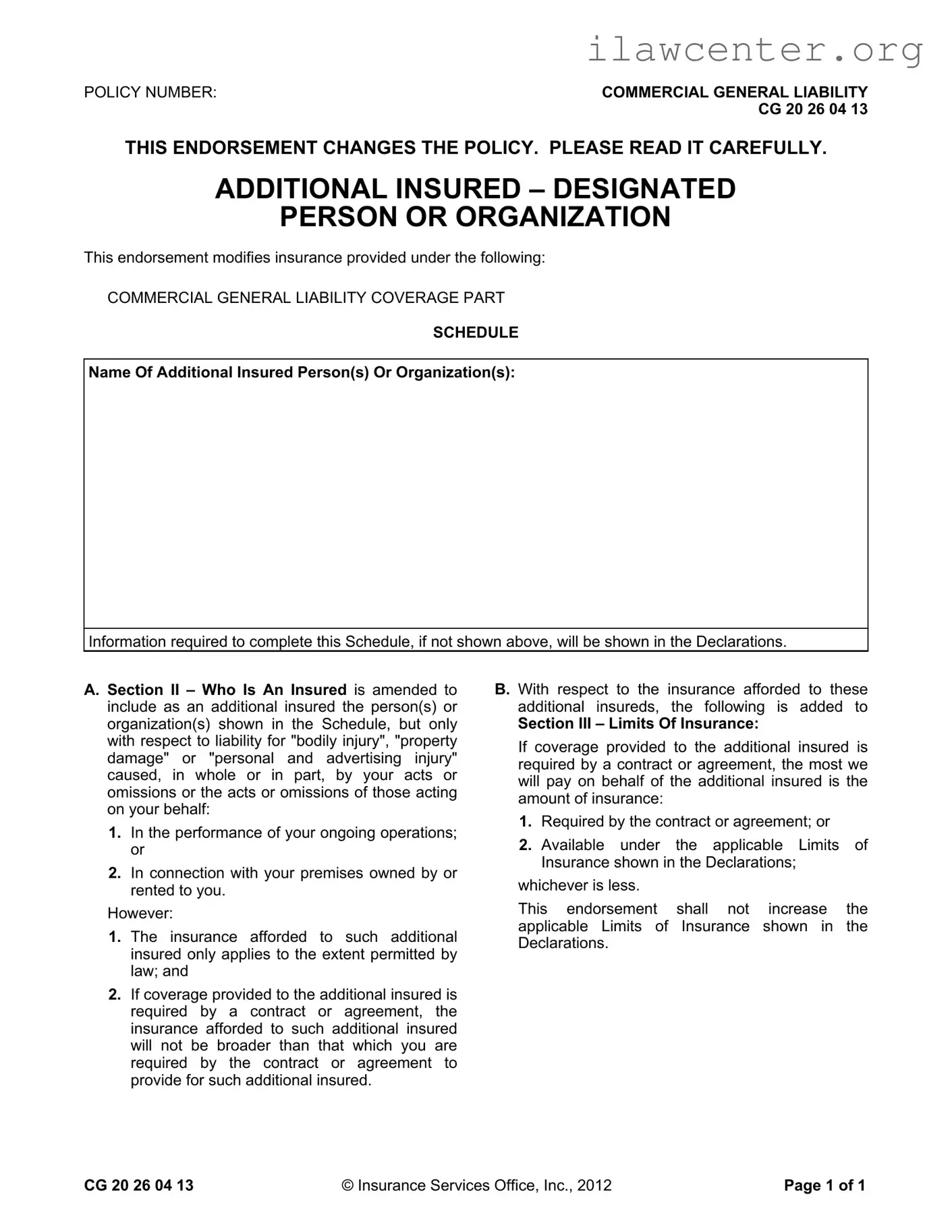
POLICY NUMBER: COMMERCIAL GENERAL LIABILITY
CG 20 26 04 13
THIS ENDORSEMENT CHANGES THE POLICY. PLEASE READ IT CAREFULLY.
CG 20 26 04 13 © Insurance Services Office, Inc., 2012 Page 1 of 1
ADDITIONAL INSURED – DESIGNATED
PERSON OR ORGANIZATION
This endorsement modifies insurance provided under the following:
COMMERCIAL GENERAL LIABILITY COVERAGE PART
SCHEDULE
Name Of Additional Insured Person(s) Or Organization(s):
Information required to complete this Schedule, if not shown above, will be shown in the Declarations.
A. Section II – Who Is An Insured is amended to
include as an additional insured the person(s) or
organization(s) shown in the Schedule, but only
with respect to liability for "bodily injury", "property
damage" or "personal and advertising injury"
caused, in whole or in part, by your acts or
omissions or the acts or omissions of those acting
on your behalf:
1. In the performance of your ongoing operations;
or
2. In connection with your premises owned by or
rented to you.
However:
1. The insurance afforded to such additional
insured only applies to the extent permitted by
law; and
2. If coverage provided to the additional insured is
required by a contract or agreement, the
insurance afforded to such additional insured
will not be broader than that which you are
required by the contract or agreement to
provide for such additional insured.
B. With respect to the insurance afforded to these
additional insureds, the following is added to
Section III – Limits Of Insurance:
If coverage provided to the additional insured is
required by a contract or agreement, the most we
will pay on behalf of the additional insured is the
amount of insurance:
1. Required by the contract or agreement; or
2. Available under the applicable Limits of
Insurance shown in the Declarations;
whichever is less.
This endorsement shall not increase the
applicable Limits of Insurance shown in the
Declarations.

File Properties

Fact Name Description
Policy Type This form is an endorsement for Commercial General Liability insurance.
Additional Insured The form allows for the inclusion of designated persons or organizations as additional insureds.
Coverage Scope Coverage applies to liability for bodily injury, property damage, or personal and advertising injury.
Conditions of Coverage Coverage is only valid for acts or omissions during ongoing operations or related to premises owned or rented.
Limits of Insurance The endorsement does not increase the applicable limits of insurance shown in the Declarations.
Governing Law This form is subject to the insurance laws of the state in which it is issued.

Instructions on Utilizing Cg 20 26 04 13

After you have gathered the necessary information, you can begin filling out the Cg 20 26 04 13 form. This form is essential for adding an additional insured to your commercial general liability policy. Follow these steps carefully to ensure that all required information is accurately provided.

  1. Locate the form titled "CG 20 26 04 13". Ensure you have the most current version.
  2. Fill in the Policy Number at the top of the form. This number is usually found on your insurance documents.
  3. In the section labeled Name Of Additional Insured Person(s) Or Organization(s), write the full name of the individual or organization you wish to add as an additional insured.
  4. If the name of the additional insured is not already shown in the Declarations, ensure you provide any necessary details that may be required.
  5. Review the information you have entered for accuracy. Make sure there are no spelling errors or omissions.
  6. Sign and date the form at the bottom. This indicates that you have completed the form and agree to its terms.
  7. Submit the completed form to your insurance provider according to their instructions. Keep a copy for your records.

Once you have submitted the form, your insurance provider will process the request. You should receive confirmation once the additional insured has been added to your policy. It’s important to follow up if you do not receive confirmation within a reasonable time frame.

Important Facts about Cg 20 26 04 13

What is the purpose of the CG 20 26 04 13 form?

The CG 20 26 04 13 form serves as an endorsement to a Commercial General Liability (CGL) policy. Its primary purpose is to add designated individuals or organizations as additional insured parties. This means that if a claim arises related to bodily injury, property damage, or personal and advertising injury caused by the policyholder's actions, these additional insured parties will also be covered under the policy.

Who can be listed as an additional insured on this form?

Any person or organization can be listed as an additional insured, as long as they are specified in the Schedule section of the form. This is typically done to protect parties that have a vested interest in the operations of the policyholder, such as clients, contractors, or landlords. However, the coverage is limited to specific liabilities arising from the policyholder's actions or omissions.

What types of liabilities are covered under the CG 20 26 04 13 endorsement?

The endorsement covers liabilities related to bodily injury, property damage, and personal and advertising injury. However, it is important to note that this coverage is only applicable if the injury or damage is caused, in whole or in part, by the actions of the policyholder or those acting on their behalf, particularly during ongoing operations or in connection with premises owned or rented by the policyholder.

Are there any limitations to the coverage provided by this endorsement?

Yes, there are limitations. The insurance coverage for additional insureds is only valid to the extent permitted by law. Furthermore, if the coverage is required by a contract or agreement, it cannot exceed the scope of coverage specified in that contract. This means that the policyholder must provide at least the minimum required coverage, but not more than what is outlined in the agreement.

How does the endorsement affect the limits of insurance?

The CG 20 26 04 13 form does not increase the overall limits of insurance set forth in the policy's Declarations. If coverage for the additional insured is required by a contract, the maximum amount payable is limited to either the amount specified in the contract or the available limits under the policy, whichever is less. This ensures that the policyholder does not inadvertently exceed their coverage limits.

Is it necessary to complete the Schedule section of the form?

Yes, completing the Schedule section is essential. This section specifies the names of the additional insured parties. If this information is not included, the endorsement may not be effective. Therefore, it is crucial to ensure that all required details are accurately filled out to guarantee proper coverage for the designated individuals or organizations.

Common mistakes

Filling out the CG 20 26 04 13 form can be a straightforward process, but there are common pitfalls that individuals often encounter. One significant mistake is failing to accurately list the additional insured names in the designated section. This can lead to confusion and potential coverage gaps. It is crucial to ensure that the names are spelled correctly and that the entities listed are indeed eligible for coverage under the policy. A simple typographical error can result in denial of claims.

Another frequent error is not understanding the limitations of the coverage provided. Many people assume that the endorsement grants unlimited protection to the additional insureds. However, the form explicitly states that coverage is limited to what is required by contract or the available limits outlined in the declarations. Ignoring this aspect can lead to false expectations and potential financial liability.

Additionally, individuals often overlook the importance of reviewing the contractual obligations that necessitate the additional insured status. If the coverage is mandated by a contract, the insurance provided cannot exceed what the contract stipulates. Failing to recognize this can result in inadequate coverage, leaving the additional insured vulnerable in the event of a claim.

Moreover, many applicants neglect to consider the specific circumstances under which the coverage applies. The endorsement is only effective in relation to "bodily injury," "property damage," or "personal and advertising injury" that arises from the named insured's operations or premises. Misunderstanding this scope can lead to disputes about the applicability of the insurance when claims arise.

Lastly, it is essential to ensure that all required information is completed before submitting the form. Incomplete forms can delay processing and create complications in coverage. Taking the time to double-check all entries, including policy numbers and contact information, can save considerable time and prevent unnecessary frustration down the line.

Documents used along the form

The CG 20 26 04 13 form is a key document in the realm of commercial general liability insurance, specifically designed to add additional insured parties to a policy. When using this form, several other documents may also be required to ensure comprehensive coverage and compliance with contractual obligations. Below is a list of common forms and documents that often accompany the CG 20 26 04 13 form.

  • Certificate of Insurance (COI): This document provides proof of insurance coverage. It outlines the types of coverage, policy limits, and the insured parties, ensuring that all parties involved are aware of the insurance status.
  • Additional Insured Endorsement: Similar to the CG 20 26 04 13, this document formally adds another party as an insured under a policy, often required by contracts in various industries.
  • Contractual Agreement: A written agreement between parties that outlines the terms of the relationship, including insurance requirements. This document is essential for clarifying the obligations of each party.
  • Policy Declarations Page: This page summarizes the key details of the insurance policy, including coverage limits, effective dates, and the insured entities. It serves as a reference point for understanding the scope of coverage.
  • Endorsement Forms: These are additional forms that modify the terms of the original insurance policy. They can provide extra coverage or change existing terms, tailored to specific needs.
  • Claims History Report: This report outlines any past claims made under the insurance policy. It can be important for assessing risk and determining future coverage needs.
  • Waiver of Subrogation: This document prevents the insurer from pursuing a third party for recovery of claims costs. It is often required in contracts to protect the interests of all parties involved.
  • Indemnity Agreement: This agreement outlines the responsibilities of one party to compensate another for certain damages or losses. It often ties into insurance requirements and risk management strategies.
  • Risk Management Plan: This document details the strategies and measures in place to minimize risks associated with business operations. It can be useful for demonstrating due diligence in managing potential liabilities.

Understanding these accompanying documents can enhance clarity and ensure that all parties are adequately protected. When navigating commercial general liability insurance, it’s crucial to have a comprehensive approach to documentation to avoid potential pitfalls.

Similar forms

The CG 20 26 04 13 form serves as an endorsement for a Commercial General Liability policy, specifically addressing additional insured status. Several other documents share similarities with this form, primarily in their purpose and structure. Below is a list of eight such documents, each accompanied by a brief explanation of its relationship to the CG 20 26 04 13 form.

  • CG 20 10 04 13: This form also provides additional insured status but typically applies to ongoing operations. It is similar in that it modifies the general liability coverage to include specific persons or organizations.
  • CG 20 37 04 13: This endorsement offers additional insured status specifically for completed operations. Like the CG 20 26 04 13, it outlines the conditions under which the additional insured is covered.
  • CG 20 33 04 13: This form extends coverage to additional insureds but focuses on liability arising from the work of the named insured. The structure is similar in defining the scope of coverage and limitations.
  • CG 20 28 04 13: This endorsement addresses additional insured status for specific projects or locations. It shares the common theme of modifying coverage based on contractual obligations.
  • CG 24 04 13: This document provides coverage for additional insureds in the context of auto liability. It parallels the CG 20 26 04 13 by outlining the conditions under which coverage is granted.
  • CG 21 44 07 98: This form modifies coverage to include additional insureds under certain circumstances, similar to the CG 20 26 04 13 in that it specifies limits and conditions of coverage.
  • CG 20 11 04 13: This endorsement grants additional insured status for liability arising from the named insured's premises operations, echoing the CG 20 26 04 13 in its focus on operational liability.
  • CG 20 35 04 13: This form provides coverage for additional insureds in relation to liability arising from subcontractors. It shares a similar framework by defining the extent of coverage based on contractual obligations.

Dos and Don'ts

When filling out the CG 20 26 04 13 form, it is essential to approach the task with care and attention to detail. Here is a list of things you should and shouldn't do to ensure accuracy and compliance.

  • Do read the entire endorsement carefully before starting.
  • Do provide the correct policy number at the top of the form.
  • Do clearly list the names of the additional insured persons or organizations in the designated area.
  • Do ensure that any information required for the Schedule is complete and accurate.
  • Don't leave any sections blank; all applicable fields must be filled out.
  • Don't assume that the coverage extends beyond what is specified in the contract or agreement.
  • Don't forget to double-check for any typos or errors before submitting the form.

By following these guidelines, individuals can help ensure that the form is filled out correctly, which can prevent potential issues in the future. Attention to detail is crucial in matters of insurance, and taking the time to do it right can save headaches later on.

Misconceptions

Understanding the CG 20 26 04 13 form can be challenging, and several misconceptions often arise. Below are some common misunderstandings, along with clarifications to help you navigate this important endorsement.

  • Misconception 1: The additional insured automatically receives full coverage.
  • This is not accurate. The coverage for the additional insured is limited to what is specified in the contract or agreement. It will not exceed the coverage you are obligated to provide.

  • Misconception 2: The additional insured is covered for all types of claims.
  • Coverage is specifically limited to "bodily injury," "property damage," or "personal and advertising injury" arising from your actions or omissions, or those of your representatives.

  • Misconception 3: The endorsement increases the overall policy limits.
  • This is incorrect. The CG 20 26 04 13 does not increase the limits of insurance outlined in the Declarations. The limits remain as stated in your policy.

  • Misconception 4: Any organization can be added as an additional insured.
  • Only those organizations or persons listed in the Schedule are considered additional insureds. This must be specified in the endorsement.

  • Misconception 5: The additional insured has the same rights as the primary insured.
  • The additional insured's rights are limited to the coverage provided under the endorsement and do not equate to the full rights of the primary insured.

  • Misconception 6: The coverage applies regardless of the circumstances.
  • The endorsement only applies to liability arising from your ongoing operations or premises owned or rented by you. It does not cover all potential liabilities.

  • Misconception 7: The endorsement is a standalone policy.
  • The CG 20 26 04 13 is an endorsement that modifies an existing Commercial General Liability policy. It does not function independently.

By clarifying these misconceptions, individuals and organizations can better understand their coverage and responsibilities under the CG 20 26 04 13 form. It is always advisable to consult with a qualified professional for specific concerns related to your policy.

Key takeaways

When using the CG 20 26 04 13 form, here are some key takeaways to keep in mind:

  • Purpose of the Form: This form adds additional insureds to your commercial general liability policy. It is essential for protecting others who may be involved in your operations.
  • Scope of Coverage: The additional insureds are covered for liability related to bodily injury, property damage, or personal and advertising injury that arises from your actions or those acting on your behalf.
  • Contractual Limitations: If the coverage is required by a contract, it will not exceed what is specified in that contract. Be sure to review the contract terms carefully.
  • Insurance Limits: The maximum amount payable for an additional insured is the lesser of what the contract requires or what is available under your policy’s limits. This means understanding both your policy and contractual obligations is crucial.