Fillable Credit Card Payment Authorization Document

Fillable Credit Card Payment Authorization Document

The Credit Card Payment Authorization form is a document that allows businesses to charge a customer's credit card for goods or services. This form ensures that the transaction is authorized by the cardholder, providing both security and peace of mind for all parties involved. To get started, fill out the form by clicking the button below.

Article Guide

In today’s fast-paced world, the Credit Card Payment Authorization form plays a crucial role in facilitating secure transactions between consumers and businesses. This essential document serves as a written agreement that allows a merchant to charge a customer’s credit card for goods or services rendered. Typically, it includes key details such as the cardholder's name, card number, expiration date, and the amount to be charged. Additionally, it often requires the cardholder's signature, which confirms their consent to the transaction. By utilizing this form, businesses not only protect themselves from fraudulent charges but also provide a clear record of authorization, which can be vital for both parties in case of disputes. Understanding the components and importance of this form is essential for anyone engaged in credit card transactions, ensuring that both consumers and merchants can navigate the payment process with confidence and security.

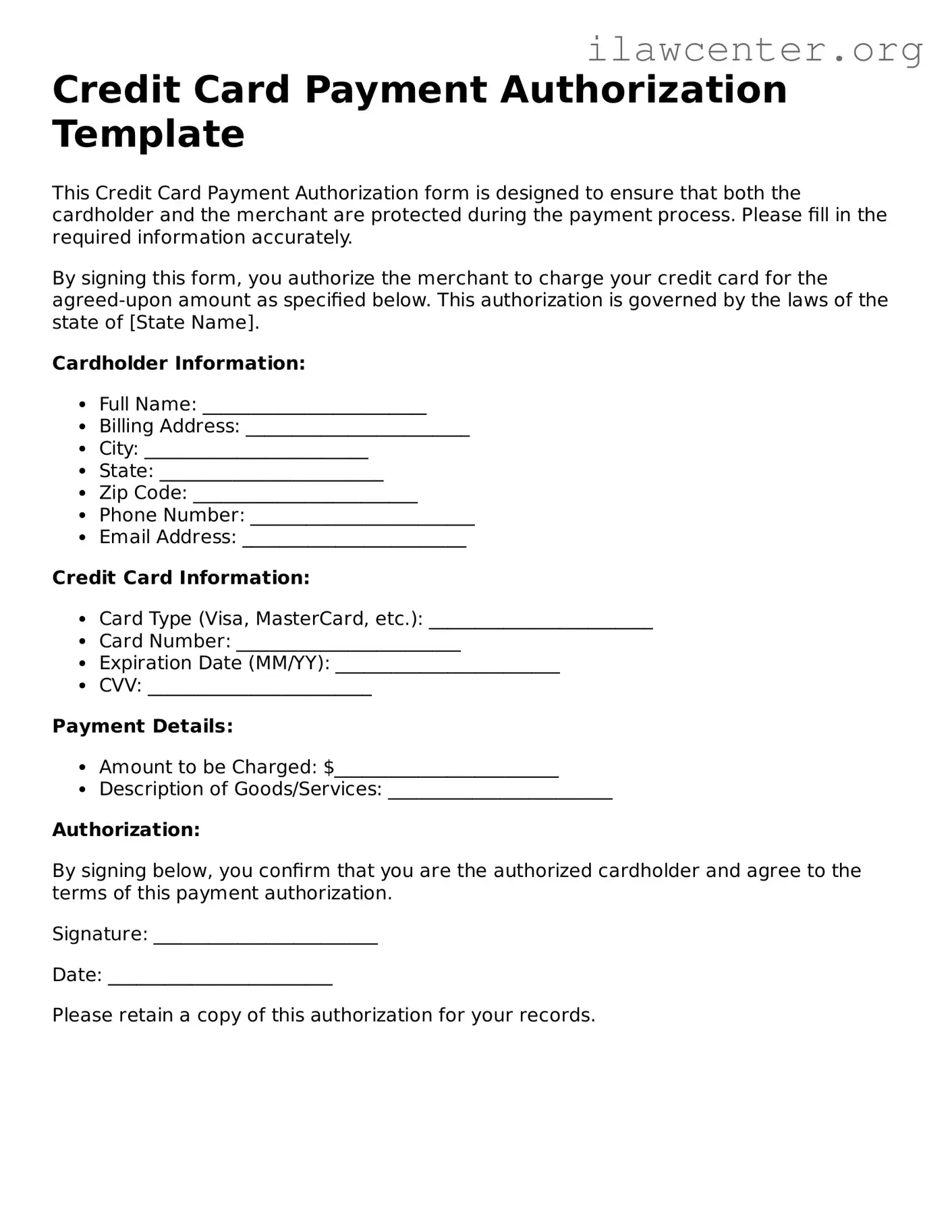
Credit Card Payment Authorization Preview

Credit Card Payment Authorization Template

This Credit Card Payment Authorization form is designed to ensure that both the cardholder and the merchant are protected during the payment process. Please fill in the required information accurately.

By signing this form, you authorize the merchant to charge your credit card for the agreed-upon amount as specified below. This authorization is governed by the laws of the state of [State Name].

Cardholder Information:

  • Full Name: ________________________
  • Billing Address: ________________________
  • City: ________________________
  • State: ________________________
  • Zip Code: ________________________
  • Phone Number: ________________________
  • Email Address: ________________________

Credit Card Information:

  • Card Type (Visa, MasterCard, etc.): ________________________
  • Card Number: ________________________
  • Expiration Date (MM/YY): ________________________
  • CVV: ________________________

Payment Details:

  • Amount to be Charged: $________________________
  • Description of Goods/Services: ________________________

Authorization:

By signing below, you confirm that you are the authorized cardholder and agree to the terms of this payment authorization.

Signature: ________________________

Date: ________________________

Please retain a copy of this authorization for your records.

PDF Form Characteristics

Fact Name Details
Purpose The Credit Card Payment Authorization form allows individuals or businesses to authorize payments via credit card.
Authorization By signing this form, the cardholder grants permission for the specified amount to be charged to their credit card.
Cardholder Information The form typically requires the cardholder's name, billing address, and contact details for verification.
Card Details It includes fields for the credit card number, expiration date, and security code to process the payment.
State-Specific Forms Some states may have specific requirements for these forms, governed by local consumer protection laws.
Revocation Cardholders can revoke authorization at any time, but they must follow the provider's specific procedures.
Security Measures It's essential to handle this form securely to protect sensitive credit card information from unauthorized access.
Record Keeping Both the merchant and the cardholder should keep a copy of the signed authorization for their records.
Legal Implications Unauthorized charges may lead to disputes, which can be addressed under the Fair Credit Billing Act.
Expiration Authorization may have an expiration date or be valid until the payment is completed, depending on the agreement.

Instructions on Utilizing Credit Card Payment Authorization

Once you have the Credit Card Payment Authorization form ready, you will need to complete it accurately to ensure that your payment is processed smoothly. Follow the steps below to fill out the form correctly.

  1. Begin by entering your full name in the designated field. Make sure to use the name as it appears on your credit card.
  2. In the next section, provide your billing address. This should match the address linked to your credit card account.
  3. Next, input your credit card number. Double-check for accuracy to avoid any processing issues.
  4. Enter the expiration date of your credit card. This is usually found on the front of the card.
  5. Provide the security code, also known as the CVV, which is typically located on the back of the card.
  6. Indicate the amount you wish to authorize for payment. Be clear and precise in this section.
  7. Sign and date the form at the bottom. Your signature is necessary to authorize the payment.

After completing these steps, review the form for any errors before submitting it. This will help prevent delays in processing your payment.

Important Facts about Credit Card Payment Authorization

What is a Credit Card Payment Authorization form?

A Credit Card Payment Authorization form is a document that allows a business or organization to charge a customer’s credit card for a specific amount. This form ensures that the customer gives explicit permission for the transaction, protecting both parties from unauthorized charges.

Why do I need to fill out this form?

Filling out the form is essential for ensuring that your credit card information is handled securely and that you authorize the transaction. It provides a record that can help prevent disputes regarding payment in the future.

What information do I need to provide?

You will typically need to provide your name, billing address, credit card number, expiration date, and the amount to be charged. Some forms may also ask for your signature to confirm authorization.

Is my credit card information safe?

Reputable businesses take security seriously. They use encryption and secure servers to protect your credit card information. Always ensure that you are providing your information to a trusted entity.

Can I revoke my authorization after submitting the form?

Yes, you can revoke your authorization, but it’s important to do so in writing and to notify the business promptly. Review the terms and conditions associated with the authorization to understand any specific requirements for revocation.

How long is the authorization valid?

The validity of the authorization can vary depending on the business’s policy. Some authorizations may be valid for a one-time charge, while others may allow for recurring payments. Always check the details provided on the form.

What happens if there is an error in the transaction?

If an error occurs, contact the business immediately. Most organizations have procedures in place to address billing errors. Document any communication regarding the issue for your records.

Do I need to keep a copy of the form?

Yes, it is advisable to keep a copy of the completed form for your records. This documentation can be helpful in case of any disputes or questions regarding the transaction in the future.

Common mistakes

When filling out a Credit Card Payment Authorization form, individuals often make several common mistakes that can lead to processing delays or payment issues. Understanding these pitfalls can help ensure a smoother transaction process.

One frequent error is illegible handwriting. If the form is filled out by hand, it is crucial to write clearly. Illegible entries can result in miscommunication about the payment details, potentially causing payment failures.

Another mistake involves missing required fields. Every section of the form must be completed, including the cardholder's name, card number, expiration date, and security code. Omitting any of these details can lead to rejection of the authorization.

Some people forget to check the expiration date of their credit card. Using an expired card can prevent the transaction from being processed. Always verify that the card is valid before submitting the form.

Additionally, individuals sometimes provide inaccurate billing addresses. The address on the form must match the one associated with the credit card. Discrepancies can trigger security alerts and delay payment processing.

Another common oversight is neglecting to sign the form. A signature is often required to authorize the payment. Without it, the authorization may be considered invalid.

People may also fail to read the terms and conditions associated with the authorization. Understanding these terms is essential, as they outline the responsibilities and rights of both the cardholder and the service provider.

Some individuals do not keep a copy of the completed form. Retaining a copy is important for personal records and can be helpful in case of disputes or inquiries about the transaction.

Lastly, individuals sometimes submit the form without confirming the total amount to be charged. It is important to verify that the amount is accurate to avoid unexpected charges on the credit card.

By being aware of these common mistakes, individuals can improve their chances of successfully completing the Credit Card Payment Authorization form and ensure timely processing of their payments.

Documents used along the form

The Credit Card Payment Authorization form is an essential document used to facilitate secure transactions. However, it often works in conjunction with other forms and documents that help ensure clarity and compliance in financial dealings. Below are five commonly used documents that accompany the Credit Card Payment Authorization form.

  • Invoice: This document details the goods or services provided, including the total amount due. It serves as a formal request for payment and outlines the terms of the transaction.
  • Receipt: A receipt is issued after payment is processed. It confirms that the payment has been received and serves as proof of the transaction for both the buyer and seller.
  • Terms and Conditions: This document outlines the rules and guidelines governing the transaction. It often includes information about refunds, cancellations, and other important policies that both parties should understand.
  • Customer Information Form: This form collects essential details about the customer, such as their name, address, and contact information. It helps businesses maintain accurate records and ensures proper communication.
  • Authorization Letter: In some cases, an authorization letter may be needed to grant permission for a third party to use the credit card. This document adds an extra layer of security and accountability.

Using these documents together with the Credit Card Payment Authorization form helps streamline the payment process, ensuring that all parties are informed and protected. Proper documentation fosters trust and transparency in financial transactions.

Similar forms

  • Direct Debit Authorization Form: This document allows a company to withdraw funds directly from a customer's bank account. Like the Credit Card Payment Authorization form, it requires the customer's consent for payment processing.
  • ACH Payment Authorization Form: Similar to the Credit Card Payment Authorization form, this document authorizes electronic transfers from a bank account. Both forms require clear consent from the payer.
  • Recurring Payment Authorization Form: This form is used to set up automatic payments for recurring charges. It parallels the Credit Card Payment Authorization form in that it establishes ongoing payment agreements.
  • Payment Agreement Form: This document outlines the terms of payment between a service provider and a client. Both forms require a signature to confirm acceptance of payment terms.
  • Invoice Approval Form: This form is used to approve payments for services rendered. Like the Credit Card Payment Authorization form, it requires acknowledgment of the payment amount before processing.
  • Service Agreement Form: This document details the terms of service between a provider and a client. It includes payment terms similar to those found in the Credit Card Payment Authorization form.
  • Payment Plan Agreement: This document outlines a structured payment schedule. It is similar to the Credit Card Payment Authorization form in that it requires the payer's agreement to specific payment terms.

Dos and Don'ts

When filling out the Credit Card Payment Authorization form, it is important to follow certain guidelines to ensure accuracy and security. Here are nine things you should and shouldn't do:

  • Do double-check all information for accuracy before submission.
  • Don't leave any required fields blank.
  • Do use a secure internet connection when submitting the form online.
  • Don't share your credit card information via email or unsecured channels.
  • Do verify the recipient's identity if submitting the form in person.
  • Don't provide your credit card number over the phone unless you are sure of who you are speaking with.
  • Do read the terms and conditions associated with the payment.
  • Don't ignore any warnings or error messages during the submission process.
  • Do keep a copy of the completed form for your records.

Following these guidelines can help prevent issues and protect your financial information.

Misconceptions

Understanding the Credit Card Payment Authorization form is essential for both businesses and consumers. However, several misconceptions can lead to confusion. Here are eight common misconceptions explained.

  1. All credit card payment authorization forms are the same.

    This is not true. Different businesses may have unique requirements or formats for their authorization forms. Always check the specific form provided by the business.

  2. Signing the form means you are agreeing to unlimited charges.

    Not at all. Signing the form typically allows for a specific transaction or a set of transactions. It does not give the business permission to charge your card indefinitely.

  3. You don’t need to read the terms before signing.

    This is a risky assumption. It’s crucial to read and understand the terms outlined in the form to know what you are agreeing to.

  4. Only businesses can use credit card payment authorization forms.

    Individuals can also use these forms, especially in personal transactions where payment needs to be authorized in writing.

  5. Once signed, you cannot dispute a charge.

    This is misleading. You can still dispute a charge if you believe it is unauthorized or incorrect, even after signing the authorization form.

  6. Credit card payment authorization forms are not legally binding.

    In many cases, these forms are legally binding contracts. They can be enforced in court if necessary, depending on the circumstances.

  7. Providing your information on the form is always safe.

    While many businesses take security seriously, it’s important to ensure that you are dealing with a reputable company before providing sensitive information.

  8. Once the form is submitted, you cannot cancel the transaction.

    This is incorrect. Depending on the business’s policies and the timing of your request, you may be able to cancel the transaction even after submitting the form.

By understanding these misconceptions, you can navigate the credit card payment authorization process more confidently and protect yourself from potential issues.

Key takeaways

When filling out and using the Credit Card Payment Authorization form, it is important to keep a few key points in mind. Here are some essential takeaways:

  1. Accuracy is crucial. Ensure that all information provided, including the card number, expiration date, and billing address, is correct to avoid processing delays.
  2. Signature requirement. Your signature is necessary to authorize the transaction. Make sure it is legible and matches the name on the card.
  3. Security matters. Keep your completed form in a secure location to protect your personal information. Dispose of any copies safely.
  4. Review terms and conditions. Understand the terms related to the transaction, including any cancellation or refund policies, before submitting the form.
  5. Contact for questions. If you have any uncertainties while filling out the form, reach out to the appropriate contact person for clarification.

By following these guidelines, you can ensure a smoother payment process and safeguard your financial information.