Instructions on Utilizing Da 5988 E
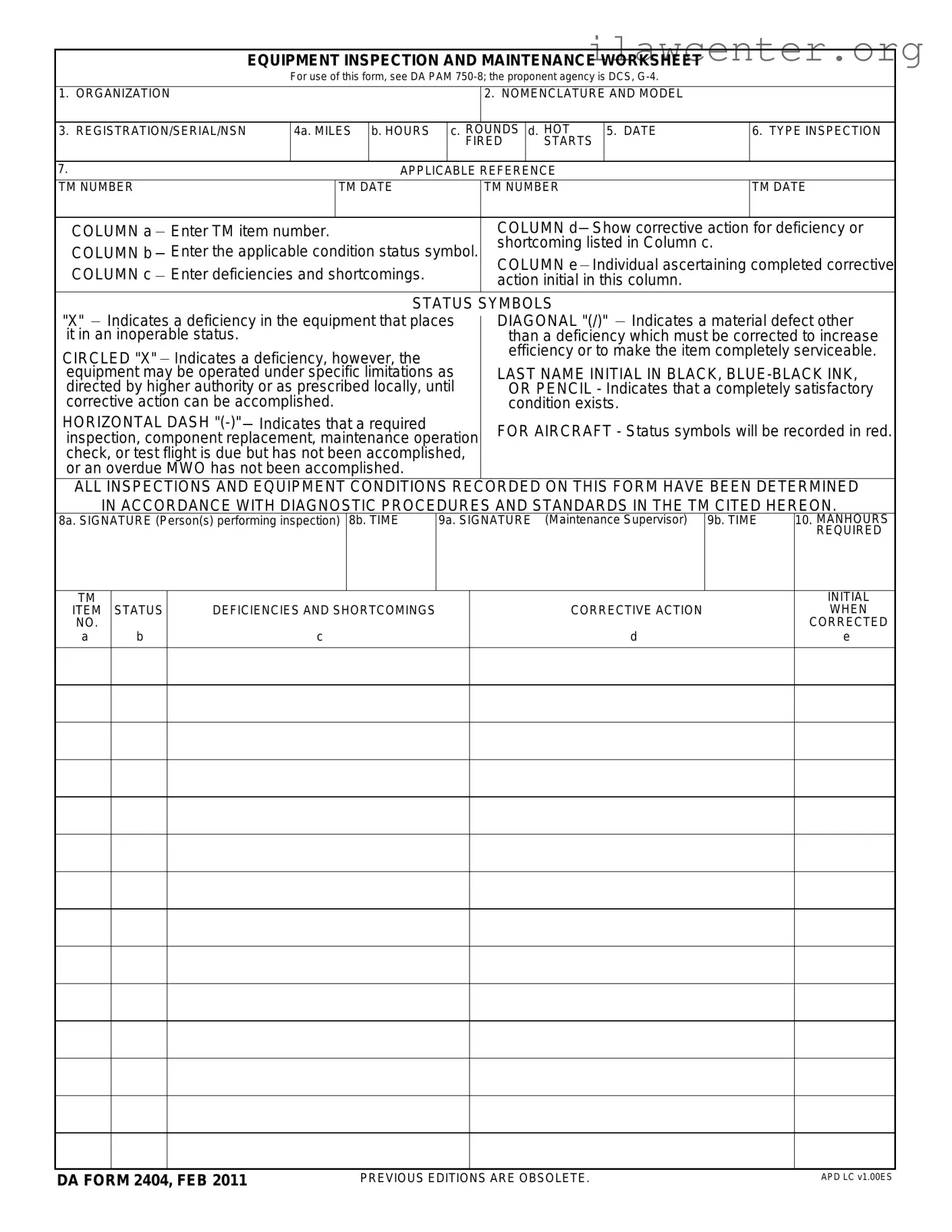
Completing the DA 5988 E form requires careful attention to detail to ensure that all necessary information is accurately recorded. This form serves as a worksheet for equipment inspection and maintenance, documenting the status and any deficiencies of the equipment.
- Organization: Enter the name of the organization responsible for the equipment.
- Nomenclature and Model: Specify the equipment's nomenclature and model.
- Registration/Serial/NSN: Fill in the registration number, serial number, or National Stock Number (NSN) of the equipment.
- Miles, Hours, Fired Rounds, Start Shot:
- Column 4a: Enter the mileage.
- Column 4b: Enter the hours of operation.
- Column 4c: Record the number of fired rounds.
- Column 4d: Indicate the start shot.
- Date: Write the date of the inspection.
- Type Inspection: Specify the type of inspection conducted.
- Applicable Reference TM Number and Date:
- Column a: Enter the TM item number.
- Column b: Record the applicable condition status symbol.
- Column c: List any deficiencies and shortcomings.
- Column d: Show the corrective action taken for each deficiency.
- Column e: The individual who completed the corrective action should initial here.
- Signature of Inspector: The person performing the inspection must sign in Column 8a.
- Time: Record the time the inspection was completed in Column 8b.
- Signature of Maintenance Supervisor: The maintenance supervisor must sign in Column 9a.
- Time: Enter the time the supervisor signed in Column 9b.
- Manhours Required: Document the total manhours required for the inspection and corrective actions.