Instructions on Utilizing Geico Supplement Request
Filling out the Geico Supplement Request form is a straightforward process, but attention to detail is essential. This form must be completed accurately to ensure that your request is processed efficiently. Follow the steps below to fill out the form correctly.
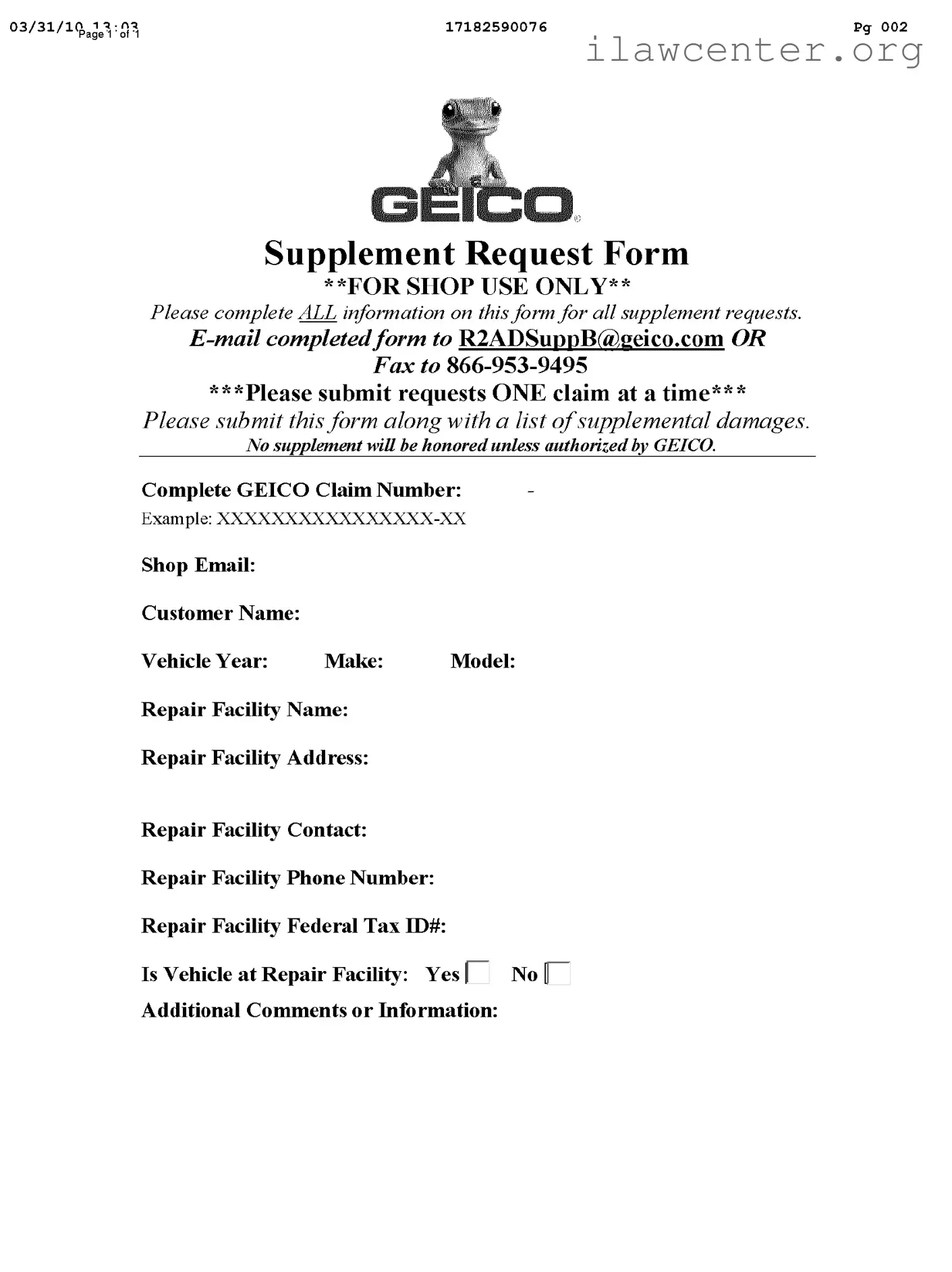
- Obtain the Form: Access the Geico Supplement Request form. Ensure you have the most recent version.
- Fill in the GEICO Claim Number: Write the complete GEICO claim number in the designated space. Use the format provided in the example.
- Provide Shop Email: Enter the email address of your repair facility. This is where correspondence will be directed.
- Customer Name: Input the name of the customer associated with the claim.
- Vehicle Information: Fill in the year, make, and model of the vehicle.
- Repair Facility Name: Write the name of the repair facility handling the vehicle.
- Repair Facility Address: Include the complete address of the repair facility.
- Repair Facility Contact: Provide the name of the primary contact person at the repair facility.
- Repair Facility Phone Number: Enter a contact number for the repair facility.
- Repair Facility Federal Tax ID#: Write the federal tax identification number for the repair facility.
- Is Vehicle at Repair Facility: Indicate whether the vehicle is currently at the repair facility by selecting Yes or No.
- Additional Comments or Information: If necessary, add any relevant comments or information that may assist in processing the request.
After completing the form, submit it along with a list of supplemental damages. Remember, only one claim can be submitted at a time. Ensure that the form is sent to GEICO for authorization, as no supplement will be honored without their approval.