

IRS 709 PDF Template

IRS 709 PDF Template

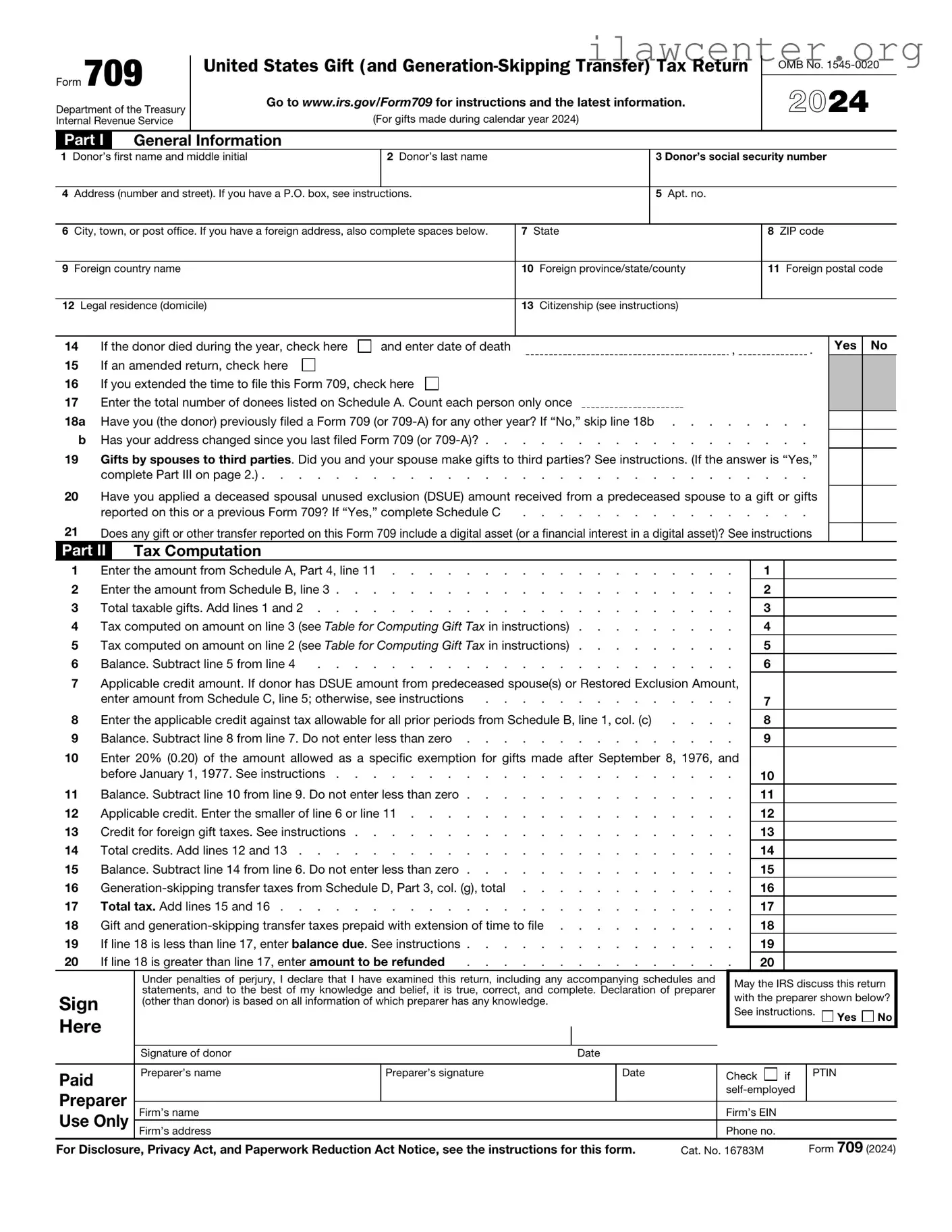
The IRS Form 709 is used to report gifts made during the tax year that exceed the annual exclusion amount. This form helps the IRS track the value of gifts and ensures compliance with federal gift tax regulations. If you need to fill out this form, click the button below to get started.

Article Guide

The IRS 709 form plays a crucial role in the realm of gift and generation-skipping transfer taxes, serving as a key tool for individuals who wish to report gifts made during a tax year. When someone gives a gift that exceeds a certain value, the IRS requires the donor to file this form to ensure compliance with federal tax laws. Not only does it allow for the reporting of gifts, but it also helps individuals track their lifetime gift tax exemption, which can significantly impact estate planning strategies. The form is typically due on April 15 of the year following the gift, although extensions may be available. Furthermore, understanding the nuances of the 709 form is essential, as it includes various sections that address different types of gifts and the applicable exclusions, such as annual exclusions for gifts to individuals. Navigating this form can be complex, but grasping its major aspects is vital for anyone engaged in significant gift-giving. By properly completing and filing the IRS 709 form, individuals can avoid potential penalties and ensure that their financial gifts are managed within the bounds of the law.

IRS 709 Preview

Form 709

United States Gift (and Generation-Skipping Transfer) Tax Return


Department of the Treasury

Go to www.irs.gov/Form709 for instructions and the latest information.

(For gifts made during calendar year 2024)

Internal Revenue Service

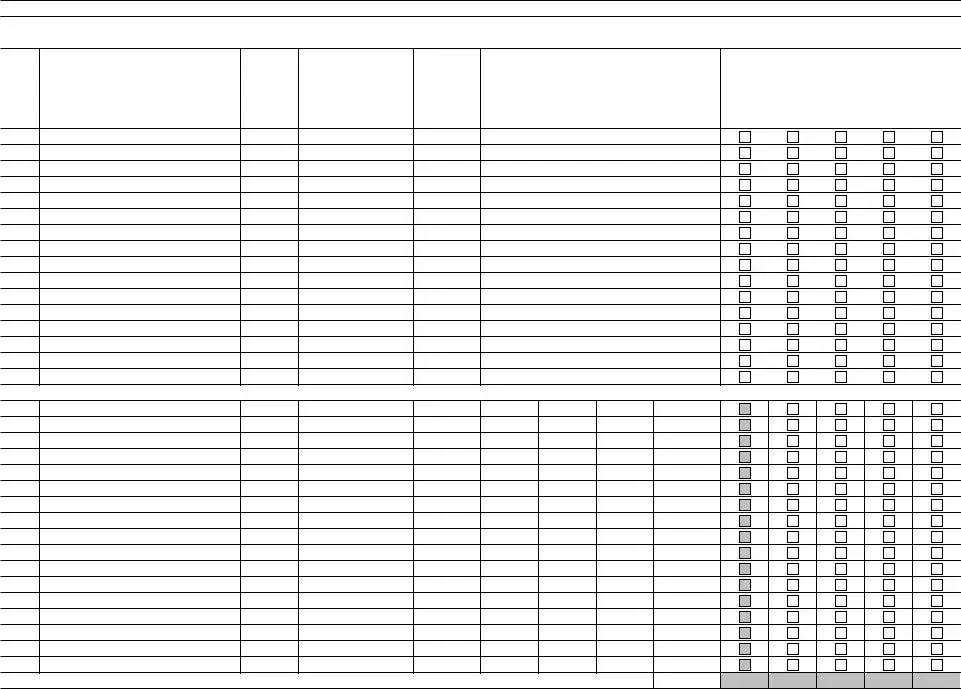
Part I General Information

OMB No. 1545-0020

2024

1Donor’s first name and middle initial

2Donor’s last name

3 Donor’s social security number

4Address (number and street). If you have a P.O. box, see instructions.

5Apt. no.

6City, town, or post office. If you have a foreign address, also complete spaces below.

7State

8ZIP code

9Foreign country name

10Foreign province/state/county

11Foreign postal code

12Legal residence (domicile)

13Citizenship (see instructions)

14

If the donor died during the year, check here

and enter date of death

,

.

15

If an amended return, check here


16

If you extended the time to file this Form 709, check here


17Enter the total number of donees listed on Schedule A. Count each person only once

18a

Have you (the donor) previously filed a Form 709 (or 709-A) for any other year? If “No,” skip line 18b

b

Has your address changed since you last filed Form 709 (or 709-A)?

19Gifts by spouses to third parties. Did you and your spouse make gifts to third parties? See instructions. (If the answer is “Yes,”

complete Part III on page 2.) . . . . . . . . . . . . . . . . . . . . . . . . . . . . . .

20Have you applied a deceased spousal unused exclusion (DSUE) amount received from a predeceased spouse to a gift or gifts

reported on this or a previous Form 709? If “Yes,” complete Schedule C

. . . . . . . . . . . . . . . .

21Does any gift or other transfer reported on this Form 709 include a digital asset (or a financial interest in a digital asset)? See instructions

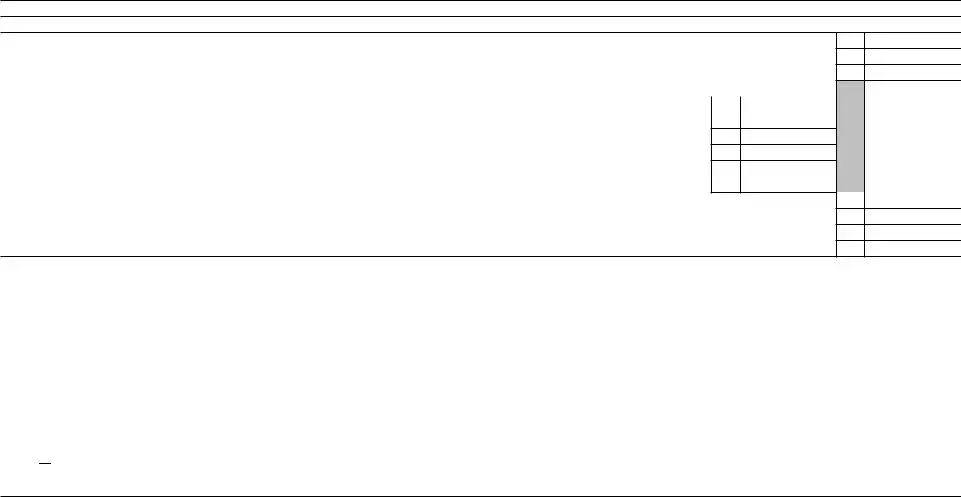
Part II Tax Computation

Yes No

1

Enter the amount from Schedule A, Part 4, line 11

2

Enter the amount from Schedule B, line 3

3

Total taxable gifts. Add lines 1 and 2

4

Tax computed on amount on line 3 (see Table for Computing Gift Tax in instructions)

5

Tax computed on amount on line 2 (see Table for Computing Gift Tax in instructions)

6

Balance. Subtract line 5 from line 4

. . . . . . . . . . . . . . . . . . . . . . .

7Applicable credit amount. If donor has DSUE amount from predeceased spouse(s) or Restored Exclusion Amount,


enter amount from Schedule C, line 5; otherwise, see instructions

. . . . . . . . . . . . . .

8

Enter the applicable credit against tax allowable for all prior periods from Schedule B, line 1, col. (c)

. . . .

9

Balance. Subtract line 8 from line 7. Do not enter less than zero

10Enter 20% (0.20) of the amount allowed as a specific exemption for gifts made after September 8, 1976, and


before January 1, 1977. See instructions

11

Balance. Subtract line 10 from line 9. Do not enter less than zero

12

Applicable credit. Enter the smaller of line 6 or line 11

13

Credit for foreign gift taxes. See instructions

14

Total credits. Add lines 12 and 13

15

Balance. Subtract line 14 from line 6. Do not enter less than zero

16

Generation-skipping transfer taxes from Schedule D, Part 3, col. (g), total

17

Total tax. Add lines 15 and 16

18

Gift and generation-skipping transfer taxes prepaid with extension of time to file

19

If line 18 is less than line 17, enter balance due. See instructions

20

If line 18 is greater than line 17, enter amount to be refunded

. . . . . . . . . . . . . . .

1

2

3

4

5

6

7

8

9

10

11

12

13

14

15

16

17

18

19

20


Under penalties of perjury, I declare that I have examined this return, including any accompanying schedules and


May the IRS discuss this return


statements, and to the best of my knowledge and belief, it is true, correct, and complete. Declaration of preparer


Sign


with the preparer shown below?

(other than donor) is based on all information of which preparer has any knowledge.


See instructions.


Here


Yes

No


Signature of donor


Date


Paid

Preparer’s name

Preparer’s signature


Date


Check

if

PTIN


Preparer


self-employed


Firm’s name


Firm’s EIN


Use Only


Firm’s address


Phone no.


For Disclosure, Privacy Act, and Paperwork Reduction Act Notice, see the instructions for this form.

Cat. No. 16783M


Form 709 (2024)

Form 709 (2024)


Page 2

Part III

Spouse’s Consent on Gifts to Third Parties


1 Gifts by spouses to third parties. Do you consent to have the gifts (including generation-skipping transfers) made by you and

Yes

No


by your spouse to third parties during the calendar year considered as made one-half by each of you? See instructions. (If the


answer is “Yes,” the following information must be furnished. If the answer is “No,” skip lines 2–7.)


2Name of consenting spouse

3SSN of consenting spouse

4

Were you married to one another during the entire calendar year? See instructions

. . . . . . . . . . . . .

5

If line 4 is “No,” check whether

married

divorced or

widowed/deceased, and give date. See instructions


6

Will a gift tax return for this year be filed by your spouse? If “Yes,” mail both returns in the same envelope

. . . . . .

7Consent of Spouse. Have you obtained required spousal consent for gifts made to third parties to be considered as made one-half by each spouse? If “Yes,” you must attach a Notice of Consent. See instructions . . . . . . . . . . .

Form 709 (2024)

Form 709 (2024)

Page 3

SCHEDULE A Computation of Taxable Gifts (Including transfers in trust) (see instructions)

A

Does the value of any item listed on Schedule A reflect any valuation discount? If “Yes,” attach explanation

Yes

No

BIf you elect under section 529(c)(2)(B) to treat any transfers made this year to a qualified tuition program as made ratably over a 5-year period, check here . See instructions. Attach a statement. Part 1—Gifts Subject Only to Gift Tax. Gifts less political organization, medical, and educational exclusions.

(a)

Item

number

(b)

Donee’s name and address

(c)

Relationship

to donor

(if any)

(d)

Description of gift

(e)

Donor’s

adjusted basis

of gift

(f)

(g)

Date of gift

Value at

date of gift

(h)

(i)

For split

Net transfer

gifts, enter

(subtract col.

1/2 of

(h) from col.

column (g)

(g))


Check boxes where applicable


(j)

(k)

(l)

(m)

Reserved

Charitable

Deductible

2652(a)(3)

for future

gift

gift to

election

use


spouse


Gifts made by spouse—complete only if you are splitting gifts with your spouse and spouse also made gifts.

Total of Part 1. Add amounts from Part 1, column (i) . . . . . . . . . . . . . . . . . . . . . . . . . . .

(If more space is needed, attach additional statements.)

Form 709 (2024)

Form 709 (2024)

Page 4

SCHEDULE A Computation of Taxable Gifts (Including transfers in trust) (see instructions) (continued)

Part 2—Direct Skips. Gifts that are direct skips and are subject to both gift tax and generation-skipping transfer tax. You must list the gifts in chronological order.

(a)

Item

number

(b)

Donee’s name and address

(c)

Relationship

to donor (if

any)

(d)

Description of gift

(e)

(f)

(g)

(h)

Donor’s adjusted

Date of gift

Value at date of

For split gifts,

basis of gift


gift

enter 1/2 of


column (g)


(i)

Check boxes

Net transfer

where applicable

(subtract col. (h)


(j)

from col. (g))


2632(b)


election out


Gifts made by spouse—complete only if you are splitting gifts with your spouse and spouse also made gifts.

Total of Part 2. Add amounts from Part 2, column (i)


(If more space is needed, attach additional statements.)

Form 709 (2024)

Form 709 (2024)

Page 5

SCHEDULE A Computation of Taxable Gifts (Including transfers in trust) (see instructions) (continued)

Part 3—Indirect Skips and Other Transfers in Trust. Gifts to trusts that are indirect skips as defined under section 2632(c) or to trusts that are currently subject to gift tax and may later be subject to generation-skipping transfer tax. You must list these gifts in chronological order.

(a)

Item

number

(b)

Donee’s name and address

(c)

Relationship

to donor (if

any)

(d)

Description of gift

(e)

Donor’s

adjusted basis

of gift

(f)

(g)

(h)

(i)

Date of gift

Value at

For split

Net transfer


date of gift

gifts, enter

(subtract col.


1/2 of

(h) from col.


column (g)

(g))


Check boxes where applicable


(j)

(k)


(l)

(m)

(n)

Reserved

Charitable

Deductible

2652(a)(3)

2632(c)

for future

gift

gift to

election

election

use


spouse


Gifts made by spouse—complete only if you are splitting gifts with your spouse and spouse also made gifts.

Total of Part 3. Add amounts from Part 3, column (i) . . . . . . . . . . . . . . . . . . . . . . . .

(If more space is needed, attach additional statements.)

Form 709 (2024)

Form 709 (2024)

Page 6

SCHEDULE A Computation of Taxable Gifts (Including transfers in trust) (see instructions) (continued)

Part 4—Taxable Gift Reconciliation

1

Total value of gifts of donor. Add totals from column (i) of Parts 1, 2, and 3

2

Total annual exclusions for gifts listed on line 1 (see instructions)

3Total included amount of gifts. Subtract line 2 from line 1 . . . . . . . . . . . . . . . . . . . . . . . . .

Deductions (see instructions)

4Gifts of interests to spouse for which a marital deduction will be claimed. Enter the total value of items on Parts 1 and 3 of Schedule A for which the box in column (l) is checked . . . . . . . . . . . . . . . . . . . . . . . . . . . . .

5

Exclusions attributable to gifts on line 4

6

Marital deduction. Subtract line 5 from line 4

7Charitable deduction. Enter the total value of items on Parts 1 and 3 of Schedule A for which the box in column (k) is checked, less


exclusions

8

Total deductions. Add lines 6 and 7

9

Subtract line 8 from line 3

10

Generation-skipping transfer taxes payable with this Form 709 (from Schedule D, Part 3, col. (g), total)

11

Taxable gifts. Add lines 9 and 10. Enter here and on page 1, Part II—Tax Computation, line 1

.

.

.

.

.

.

.

.

.

.

.

.

.

.

.

.

.

.

.

.

.

4

5

6

7

.

.

.

.

.

.

.

.

.

.

.

.

.

.

.

.

.

.

.

.

.

.

.

.

.

.

.

.

1

2

3

8

9

10

11

Qualified Terminable Interest Property (QTIP) Marital Deduction (See instructions for Schedule A, Part 4, line 4.)

If a trust (or other property) meets the requirements of qualified terminable interest property under section 2523(f), and: a. The trust (or other property) is listed on Schedule A; and

b. The value of the trust (or other property) is entered in whole or in part as a deduction on Schedule A, Part 4, line 4, then the donor shall be deemed to have made an election to have such trust (or other property) treated as qualified terminable interest property under section 2523(f).

If less than the entire value of the trust (or other property) that the donor has included in Parts 1 and 3 of Schedule A is entered as a deduction on line 4, the donor shall be considered to have made an election only as to a fraction of the trust (or other property). The numerator of this fraction is equal to the amount of the trust (or other property) deducted on Schedule A, Part 4, line 6. The denominator is equal to the total value of the trust (or other property) listed in Parts 1 and 3 of Schedule A.

If you make the QTIP election, the terminable interest property involved will be included in your spouse’s gross estate upon your spouse’s death (section 2044). See instructions for line 4 of Schedule A. If your spouse disposes (by gift or otherwise) of all or part of the qualifying life income interest, your spouse will be considered to have made a transfer of the entire property that is subject to the gift tax. See Transfer of Certain Life Estates Received From Spouse in the instructions.

12Election Out of QTIP Treatment of Annuities

Check here if you elect under section 2523(f)(6) not to treat as qualified terminable interest property any joint and survivor annuities that are reported on Schedule A and would otherwise be treated as qualified terminable interest property under section 2523(f). See instructions. Enter the item numbers from Schedule A for the annuities for which you are making this election.

Form 709 (2024)

Form 709 (2024)

Page 7

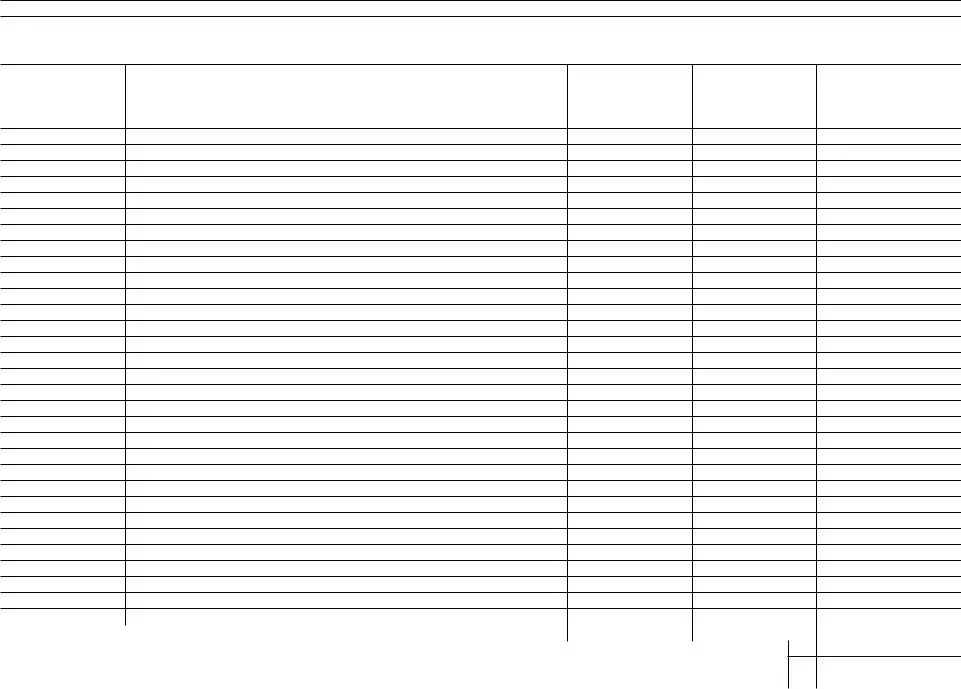
SCHEDULE B Gifts From Prior Periods

If you answered “Yes” on line 18a of page 1, Part I, see the instructions for completing Schedule B. If you answered “No,” skip to Part II, Tax Computation on page 1 (or Schedule C or D, if applicable). Complete Schedule A before beginning Schedule B. See instructions for recalculation of the column (c) amounts. Attach calculations.

(a)

Calendar year or calendar quarter (see instructions)

(b)

Internal Revenue office

where prior return was filed

(c)

Amount of applicable credit (unified credit) against gift tax for periods after December 31, 1976

(d)

Amount of specific exemption for prior periods ending before January 1, 1977

(e)

Amount of

taxable gifts

1

Totals for prior periods


1


2

Amount, if any, by which total specific exemption, line 1, column (d), is more than $30,000 . . .

. . . . . . . . . . . . . . . .

2

3Total amount of taxable gifts for prior periods. Add amount on line 1, column (e), and amount, if any, on line 2. Enter here and on page 1, Part II—Tax

Computation, line 2

3

(If more space is needed, attach additional statements.)

Form 709 (2024)

Form 709 (2024)

Page 8

SCHEDULE C Deceased Spousal Unused Exclusion (DSUE) Amount and Restored Exclusion

Provide the following information to determine the DSUE amount and applicable credit received from prior spouses. Complete Schedule A before beginning Schedule C.

(a)


(b)


(c)

(d)

(e)

(f)

Name of deceased spouse


Date of death

Portability election made?

If “Yes,” DSUE

DSUE amount applied by

Date of gift(s) (enter as

(dates of death after December 31, 2010, only)


amount received

donor to lifetime gifts (list

mm/dd/yy for Part 1 and


from spouse

current

as yyyy for Part 2)


Yes


No


and prior gifts)


Part 1—DSUE RECEIVED FROM LAST DECEASED SPOUSE


Part 2—DSUE RECEIVED FROM PREDECEASED SPOUSE(S)


TOTAL (for all DSUE amounts applied from column (e) for Part 1 and Part 2. Enter here and on line 2 below)


1

Donor’s basic exclusion amount (see instructions)

1


2

Total from column (e), Parts 1 and 2

2


3

Restored Exclusion Amount (see instructions)

3


4

Add lines 1, 2, and 3

4


5

Applicable credit on amount on line 4 (see Table for Computing Gift Tax in the instructions). Enter here and on line 7, Part II—Tax Computation

5


(If more space is needed, attach additional statements.)


Form 709 (2024)

Form 709 (2024)

Page 9

SCHEDULE D Computation of Generation-Skipping Transfer Tax

Note: Inter vivos direct skips that are completely excluded by the GST exemption must still be fully reported (including value and exemptions claimed) on Schedule D.

Part 1—Generation-Skipping Transfers. List items from Schedule A first, then items to be reported on Schedule D, including any transfers subject to an Estate Tax Inclusion Period (ETIP).

(a)

(b)

(c)

(d)

(e)

Item number (from

Description

Value (from Schedule A, Part 2,

Nontaxable portion of transfer

Net transfer (subtract

Schedule A, Part 2, col. (a),

(only for ETIP transfers)

col. (i), or close of ETIP


col. (d) from col. (c))

then ETIP transfers, if any)


described in col. (b))


1

Gifts made by spouse (for gift splitting only)


(If more space is needed, attach additional statements.)


Form 709 (2024)

Form 709 (2024)

Page 10

SCHEDULE D

Computation of Generation-Skipping Transfer Tax (continued)


Part 2—GST Exemption Reconciliation (Section 2631)


Complete items 1–8 below if any gifts are listed on Schedule A, Part 2 or 3 (direct skips, indirect skips, and other transfers in trust). See instructions.


1

Maximum allowable exemption (see instructions)

1

2

Total exemption used for periods before filing this return

2

3

Exemption available for this return. Subtract line 2 from line 1

3

4

Exemption claimed on this return from Part 3, column (c), total below

4

5Automatic allocation of exemption to transfers reported on Schedule A, Part 3. To opt out of the automatic allocation rules, you must attach an “Election Out


statement. See instructions

5

6

Exemption allocated to transfers not shown on line 4 or line 5 above. You must attach a “Notice of Allocation.” See instructions

6

7

Add lines 4, 5, and 6

7

8

Exemption available for future transfers. Subtract line 7 from line 3

8

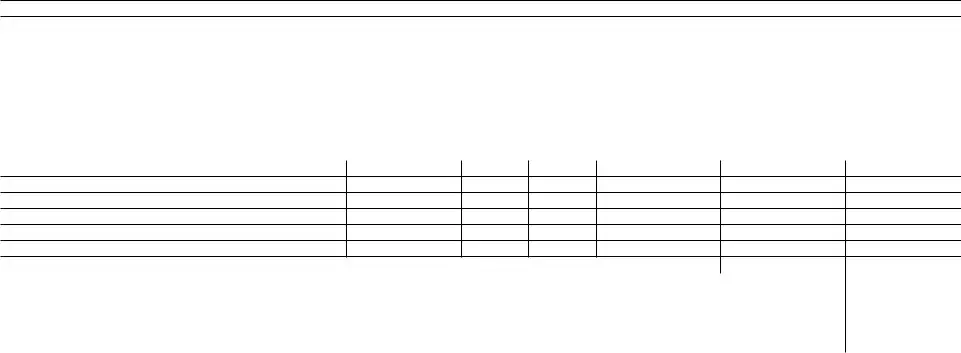
Part 3—Tax Computation

(a)

(b)

(c)

(d)

(e)

(f)

(g)

Item number

Net transfer

GST exemption allocated

Divide col. (c)

Inclusion ratio

Applicable rate

Generation-skipping

(from Schedule D,

(from Schedule D,


by col. (b)

(subtract col. (d)

(multiply col. (e)

transfer tax

Part 1)

Part 1, col. (e))


from 1.000)

by 40% (0.40))

(multiply col. (b)


by col. (f))


1


Gifts made by spouse (for gift splitting only)


Total exemption claimed. Enter here and on Part


2, line 4, above. May not exceed Part 2, line 3,


Total generation-skipping transfer tax. Enter here; on page 6, Schedule A, Part 4, line


above


10; and on page 1, Part II—Tax Computation, line 16


(If more space is needed, attach additional statements.)


Form 709 (2024)

File Properties

Fact Name Description
Purpose The IRS Form 709 is used to report gifts and to calculate the gift tax owed by the donor.
Filing Requirement Form 709 must be filed if the total value of gifts given exceeds the annual exclusion amount, which is $17,000 per recipient for 2023.
Due Date The form is due on April 15 of the year following the gift, unless an extension is filed.
Gift Tax Exemption There is a lifetime exemption amount for gift taxes, which is $12.92 million for 2023.
State-Specific Forms Some states have their own gift tax forms. For example, California does not have a gift tax, while New York requires Form ET-706 for estate and gift taxes.
Joint Gifts Married couples can combine their annual exclusion amounts, allowing them to gift up to $34,000 per recipient without tax implications.
Non-Taxable Gifts Certain gifts, such as payments made directly to educational or medical institutions, are not subject to gift tax and do not need to be reported on Form 709.

Instructions on Utilizing IRS 709

Filling out the IRS 709 form is an important step if you are making a gift that exceeds the annual exclusion limit. Completing this form correctly helps ensure that your tax obligations are met. Here’s how to fill it out step by step.

  1. Begin by downloading the IRS 709 form from the IRS website or obtain a physical copy.
  2. At the top of the form, enter your name, Social Security number, and address. Make sure this information is accurate.
  3. In Part 1, indicate the year for which you are filing the form. This is typically the year the gift was made.
  4. In Part 2, list the gifts you made during the year. Include the recipient's name, their relationship to you, and the date of the gift.
  5. Next, provide the fair market value of each gift at the time it was given. This is crucial for accurate reporting.
  6. If you made multiple gifts, continue listing them until all are accounted for.
  7. In Part 3, calculate the total value of all gifts. Add up the amounts from Part 2.
  8. If any gifts qualify for exclusions or deductions, make sure to note those in the appropriate sections.
  9. After completing the form, review it for any errors or missing information. Accuracy is key.
  10. Finally, sign and date the form. If you're filing jointly, your spouse should also sign if applicable.

Once you have completed the form, make copies for your records. Then, mail it to the address specified in the form instructions. Keep in mind that this is a key part of your financial documentation.

Important Facts about IRS 709

What is the IRS Form 709?

The IRS Form 709 is used to report gifts made during the tax year. This form is essential for individuals who give gifts that exceed the annual exclusion limit set by the IRS. By filing this form, taxpayers can ensure compliance with federal tax laws regarding gift taxes.

Who needs to file Form 709?

What is the annual exclusion amount?

The annual exclusion amount is the maximum value of gifts you can give to an individual in a year without triggering the need to file Form 709 or pay gift tax. For 2023, this amount is set at $17,000. This means you can give up to $17,000 to as many individuals as you wish without any tax implications.

What happens if I don’t file Form 709 when required?

Failing to file Form 709 when required can lead to penalties and interest on any unpaid taxes. The IRS takes gift tax compliance seriously. If you do not report your gifts, you may face additional scrutiny during an audit, which could lead to further complications down the line.

Can I file Form 709 electronically?

As of now, Form 709 cannot be filed electronically. Taxpayers must complete the form and mail it to the IRS. It’s important to ensure that the form is filled out accurately to avoid delays or issues with processing.

What information do I need to complete Form 709?

To complete Form 709, you will need details about the gifts you made, including the recipient’s name, address, and the value of the gifts. You will also need to provide information about any prior gifts made in previous years that may affect your current gift tax situation. Accurate record-keeping is crucial for this process.

Are there any exemptions or deductions available on Form 709?

Yes, there are certain exemptions and deductions available when filing Form 709. For example, gifts to a spouse who is a U.S. citizen are generally exempt from gift tax. Additionally, payments made directly for someone’s medical or educational expenses do not count against the annual exclusion limit. Understanding these exemptions can help reduce your tax liability.

Common mistakes

Filling out the IRS Form 709 can be a complex process, and many individuals make mistakes that can lead to delays or issues with their tax filings. One common mistake is failing to report all gifts. When individuals give gifts exceeding the annual exclusion limit, they must report these gifts on the form. Omitting any gift can lead to penalties and complications in future tax filings.

Another frequent error is not using the correct version of the form. The IRS updates forms periodically, and using an outdated version can result in incorrect calculations or missing information. It is essential to ensure that the most current form is being utilized to avoid unnecessary complications.

Many people also miscalculate the gift amounts. When determining the value of a gift, it is crucial to use the fair market value at the time of the gift. Failing to accurately assess this value can lead to underreporting or overreporting, which could trigger audits or penalties.

Additionally, individuals often overlook the importance of providing complete information about the recipient. The IRS requires detailed information about who received the gift, including their name, address, and relationship to the giver. Incomplete information can cause delays in processing the form.

Another common mistake is not signing and dating the form. A signature is a critical component of the form, and without it, the IRS may reject the submission. It is a simple step that can easily be overlooked but is essential for the validity of the form.

People sometimes forget to keep copies of their submitted forms. Retaining a copy of the IRS Form 709 and any supporting documentation is vital for future reference. This practice can help individuals respond to any inquiries from the IRS or clarify their records in the future.

Some individuals fail to file the form on time. The IRS has specific deadlines for submitting Form 709, and missing these deadlines can result in penalties. It is important to be aware of the due dates and plan accordingly to avoid late fees.

Misunderstanding the annual exclusion limit is another mistake that can lead to issues. Each year, the IRS sets a limit on the amount that can be gifted without incurring taxes. Staying informed about these limits is crucial to ensure compliance and avoid unexpected tax liabilities.

Lastly, people may not seek professional help when needed. Tax laws can be complicated, and when in doubt, consulting with a tax professional can provide clarity. This step can prevent costly mistakes and ensure that all requirements are met accurately.

Documents used along the form

The IRS Form 709, also known as the United States Gift (and Generation-Skipping Transfer) Tax Return, is crucial for individuals who make large gifts or transfers. It helps to report taxable gifts and ensures compliance with federal tax laws. However, several other forms and documents often accompany Form 709 to provide additional information or to fulfill other tax obligations. Below is a list of these forms and documents, each playing a significant role in the gift tax process.

  • Form 1040: This is the standard individual income tax return form. If you made gifts during the year, you may need to report any income generated from those gifts on this form.
  • Form 706: Known as the United States Estate (and Generation-Skipping Transfer) Tax Return, this form is used to report the estate of a deceased person. It is relevant if the gifts made were part of the donor's estate.
  • Form 709-A: This simplified version of Form 709 is used for certain gifts that qualify for the annual exclusion. It is less complex and may be easier for some donors to complete.
  • Form 8283: This form is used to report non-cash charitable contributions. If you made a gift of property to a charity, this form may be necessary to claim a deduction.
  • Form 8822: This form is for updating your address with the IRS. If you have moved and are filing Form 709, it's essential to ensure your address is current.
  • Form 4506-T: This form allows you to request a transcript of your tax return. It can be helpful if you need to verify prior gifts or income for tax purposes.
  • Form 1041: This is the U.S. Income Tax Return for Estates and Trusts. If you are managing a trust that has received gifts, this form may be required.
  • Form W-9: This form is used to provide your taxpayer identification number to the person making a gift to you. It's important for reporting purposes.
  • Gift Acceptance Policy: While not a formal IRS document, this policy outlines the terms under which a charity will accept gifts. It's particularly relevant for large donations.

Understanding these forms and documents can simplify the process of filing your taxes and ensure compliance with the IRS. Each document serves a specific purpose, and together they create a comprehensive picture of your financial transactions related to gifts. Be sure to consult a tax professional if you have questions about your specific situation.

Similar forms

The IRS Form 709, also known as the United States Gift (and Generation-Skipping Transfer) Tax Return, is an important document for reporting gifts made during the year. It has similarities with several other tax-related forms, each serving a unique purpose in the realm of financial reporting and tax obligations. Here’s a list of seven documents that share similarities with the IRS 709 form:

  • IRS Form 706: This form is used for the estate tax return. Like Form 709, it deals with the transfer of wealth, but it focuses on assets transferred at death rather than gifts made during one’s lifetime.
  • IRS Form 1040: The standard individual income tax return. While Form 1040 covers income and expenses, it can also include information about gifts and inheritances that may affect taxable income.
  • IRS Form 990: This is the return for tax-exempt organizations. Similar to Form 709, it requires detailed reporting of financial activities, including donations received, which can impact tax liabilities.
  • IRS Form 8283: This form is used for noncash charitable contributions. It requires appraisals and details about gifts, much like Form 709 requires information about the value of gifts made.
  • IRS Form 706-NA: This is the estate tax return for non-resident aliens. It serves a similar purpose to Form 706 but is tailored for non-residents, highlighting the complexities of gift and estate tax for different statuses.
  • IRS Form 1041: This form is for estate and trust income tax returns. It may include information about distributions made to beneficiaries, paralleling the reporting of gifts in Form 709.
  • IRS Form 4506: This form is used to request a copy of a tax return. While it does not report gifts or transfers, it can be used to obtain past Form 709 filings for reference or verification.

Understanding these forms and their similarities can help in navigating the complexities of tax obligations related to gifts and transfers. Each document plays a role in ensuring compliance with tax laws and reporting requirements.

Dos and Don'ts

When filling out the IRS 709 form, it’s important to be careful and thorough. Here are some key dos and don'ts to keep in mind:

  • Do read the instructions carefully before starting.
  • Do ensure all information is accurate and complete.
  • Do double-check your calculations for gifts made.
  • Do sign and date the form before submission.
  • Don't leave any fields blank; if a section doesn’t apply, indicate that.
  • Don't forget to include any necessary supporting documents.

Following these guidelines can help ensure that the form is filled out correctly and submitted without issues.

Misconceptions

The IRS 709 form, also known as the United States Gift (and Generation-Skipping Transfer) Tax Return, is often misunderstood. Here are four common misconceptions about this form:

  1. Only wealthy people need to file the IRS 709 form.

    This is not true. While the form is often associated with high-value gifts, anyone who gives gifts exceeding the annual exclusion limit must file. In 2023, that limit is $17,000 per recipient.

  2. The IRS 709 form is only for gifts of cash.

    Many people think that only cash gifts require reporting. However, the form applies to all types of gifts, including property, stocks, and other assets. If the value exceeds the annual exclusion, it must be reported.

  3. Filing the IRS 709 form means you have to pay taxes immediately.

    This misconception can cause unnecessary worry. Filing the form does not automatically trigger a tax bill. It simply reports gifts that exceed the exclusion limit. Taxes may only be due if your total lifetime gifts surpass the lifetime exemption amount.

  4. You can only file the IRS 709 form once per year.

    This is incorrect. You can file the form for multiple gifts throughout the year. Each gift that exceeds the exclusion limit should be reported, even if you file multiple times.

Understanding these misconceptions can help you navigate the gift tax process more effectively. Being informed is the first step in making the right decisions regarding your gifts.

Key takeaways

When it comes to the IRS 709 form, understanding its purpose and proper usage is essential for effective tax planning. Here are some key takeaways to keep in mind:

  • The IRS 709 form is used to report gifts that exceed the annual exclusion limit. For 2023, this limit is $17,000 per recipient.
  • Filing this form is important for tracking your lifetime gift tax exemption, which is currently set at $12.92 million.
  • Even if you do not owe any gift tax, submitting the form is necessary to ensure compliance and to preserve your exemption amount.
  • Gifts to spouses and qualified charities are typically exempt from gift tax and do not need to be reported on the 709 form.
  • Be mindful of deadlines; the form must be filed by April 15 of the year following the gift, or by the tax return due date if an extension is granted.

By keeping these points in mind, you can navigate the process of filling out and using the IRS 709 form with confidence.