

IRS 941 PDF Template

IRS 941 PDF Template

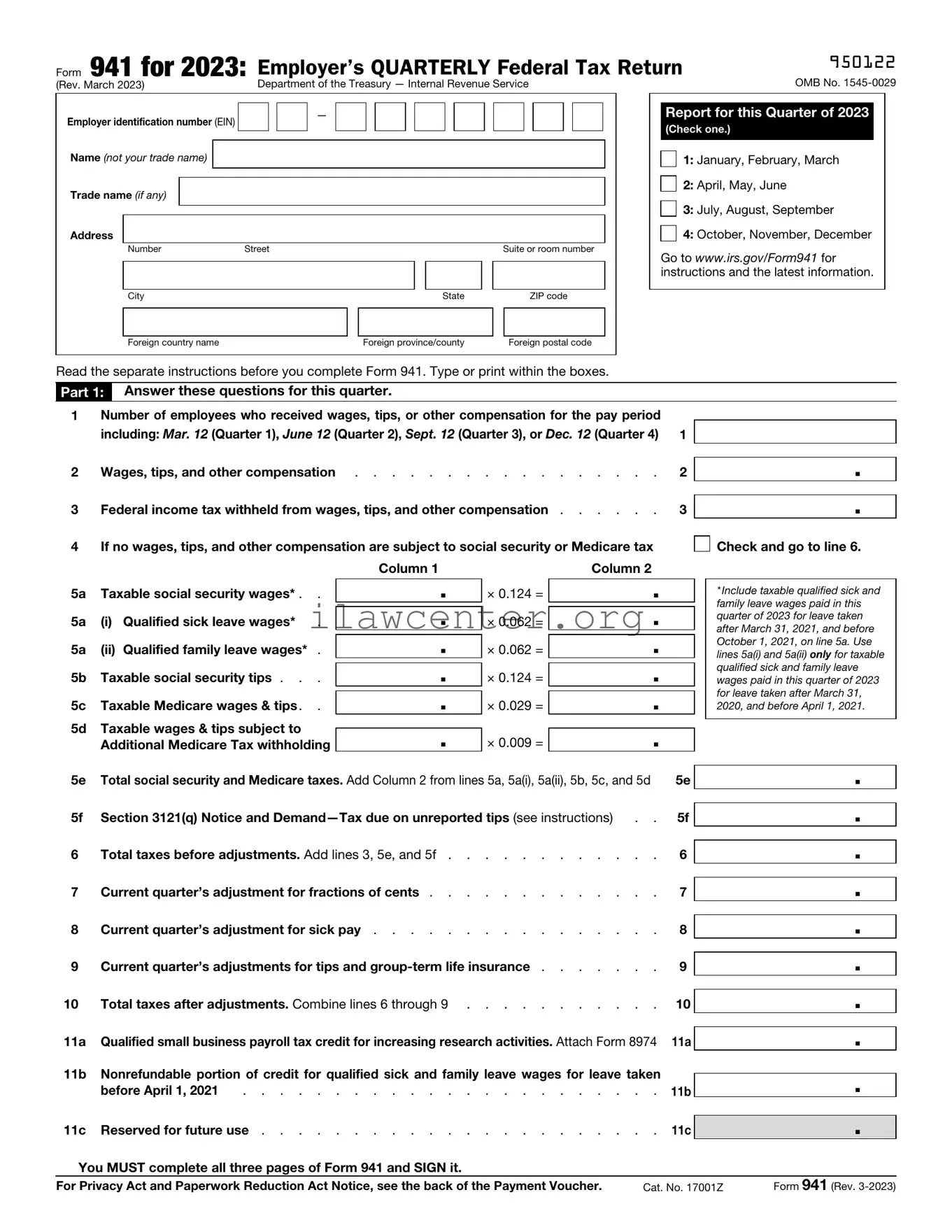
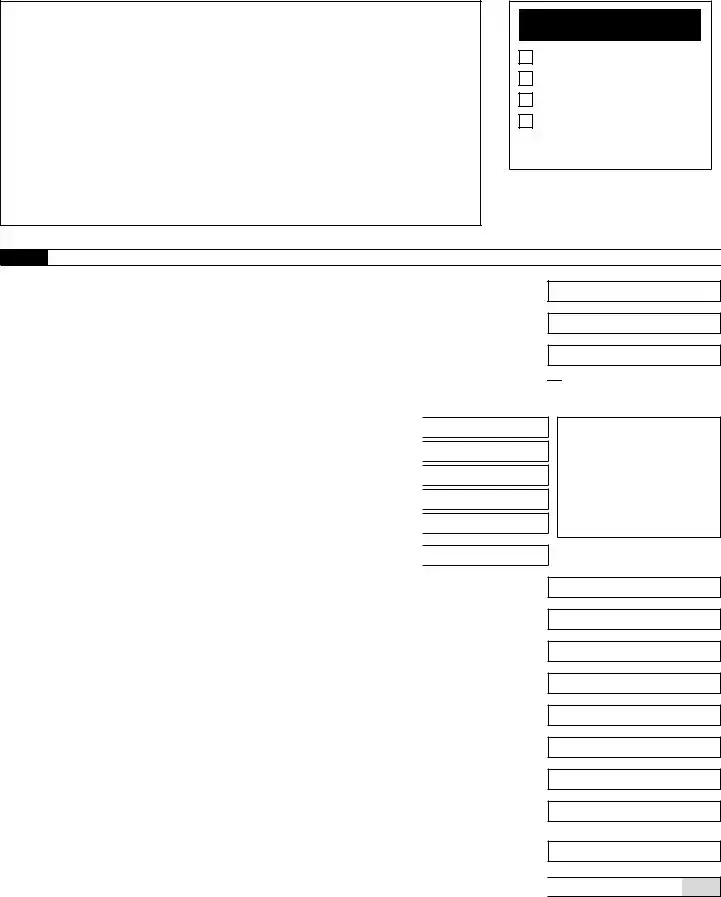
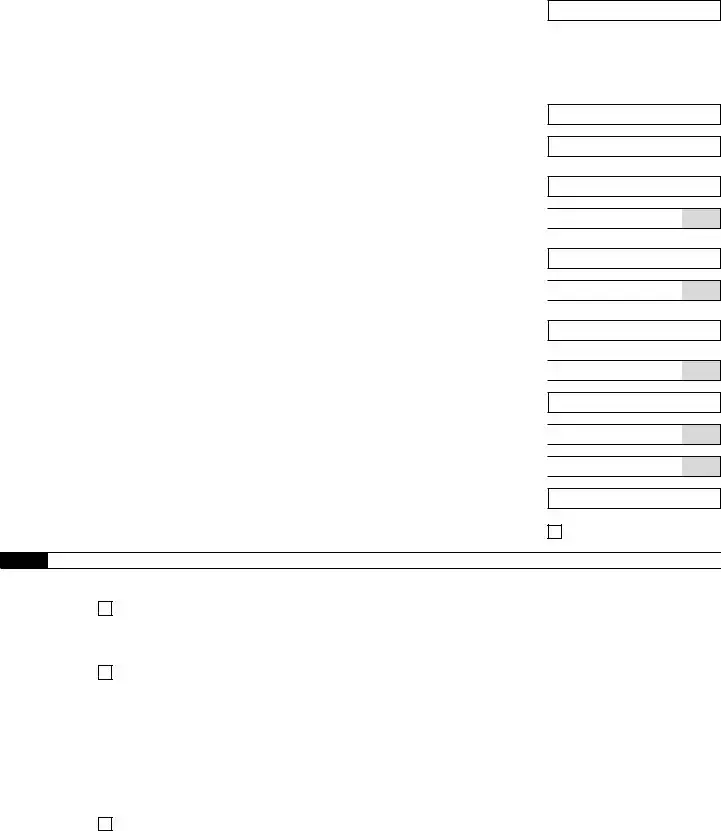
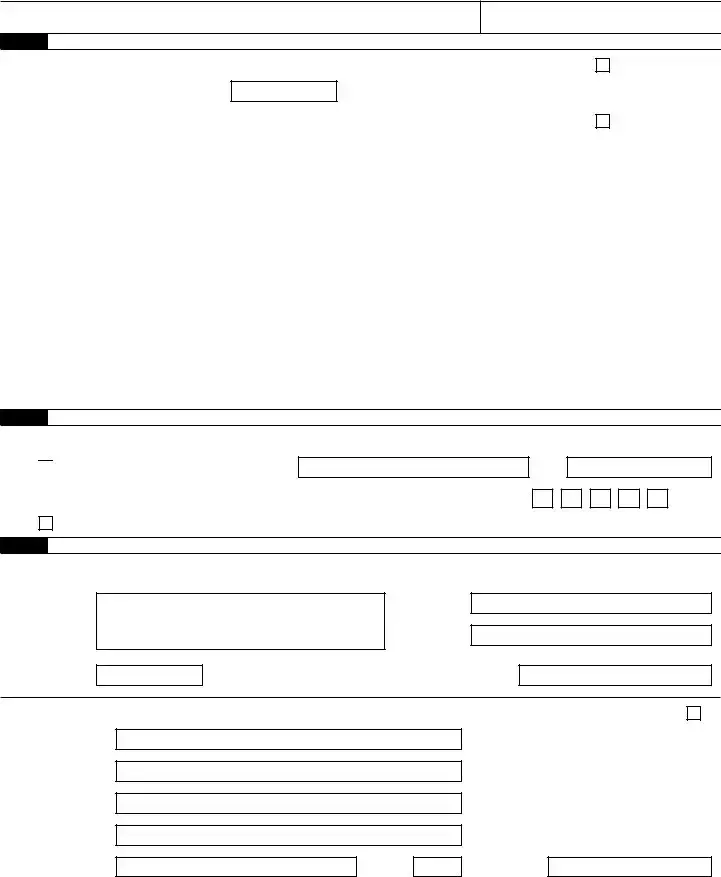
The IRS 941 form is a quarterly tax return that employers use to report income taxes, Social Security tax, and Medicare tax withheld from employee paychecks. This form helps the Internal Revenue Service keep track of payroll taxes owed and ensures compliance with federal tax laws. To learn more about filling out the form, click the button below.

Article Guide

The IRS 941 form plays a crucial role for employers in the United States, serving as a quarterly report that details payroll taxes. Each quarter, businesses must submit this form to report the wages paid to employees, as well as the federal income tax withheld from those wages. Additionally, it outlines the employer's share of Social Security and Medicare taxes. Accurate completion of the form is essential, as it helps ensure compliance with federal tax obligations and provides a clear record of tax liabilities. Employers must also reconcile any tax payments made during the quarter with the amounts reported on the form. Understanding the nuances of IRS 941 is vital for maintaining good standing with the IRS and avoiding potential penalties. By keeping thorough records and submitting the form on time, businesses can navigate their tax responsibilities more effectively.

IRS 941 Preview

Form 941 for 2025:

Employer’s QUARTERLY Federal Tax Return

950124


(Rev. March 2025)

Department of the Treasury — Internal Revenue Service

OMB No. 1545-0029

Employer identification number (EIN)


Name (not your trade name)


Trade name (if any)


Address


Number

Street


Suite or room number


City


State


ZIP code


Foreign country name


Foreign province/county


Foreign postal code

Report for this Quarter of 2025

(Check one.)

1: January, February, March

2: April, May, June

3: July, August, September

4: October, November, December

Go to www.irs.gov/Form941 for instructions and the latest information.

Read the separate instructions before you complete Form 941. Type or print within the boxes.

Part 1: Answer these questions for this quarter. Employers in American Samoa, Guam, the Commonwealth of the Northern Mariana Islands, the U.S. Virgin Islands, and Puerto Rico can skip lines 2 and 3, unless you have employees who are subject to U.S. income tax withholding.

1

Number of employees who received wages, tips, or other compensation for the pay period


including: Mar. 12 (Quarter 1), June 12 (Quarter 2), Sept. 12 (Quarter 3), or Dec. 12 (Quarter 4) 1

2

Wages, tips, and other compensation

. . . . .

2

3

Federal income tax withheld from wages, tips, and other compensation .

. . . . .

3

4

If no wages, tips, and other compensation are subject to social security or Medicare tax


Column 1


Column 2.


5a

Taxable social security wages . .

.

× 0.124 =


.


5b

Taxable social security tips . . .

.

× 0.124 =


.


5c

Taxable Medicare wages & tips. .

.

× 0.029 =


.

.

Check here and go to line 6.

5d

Taxable wages & tips subject to


.

× 0.009 =

.


Additional Medicare Tax withholding


5e

Total social security and Medicare taxes. Add Column 2 from lines 5a, 5b, 5c, and 5d . . . .

5e

5f

Section 3121(q) Notice and Demand—Tax due on unreported tips (see instructions) . .

5f

6

Total taxes before adjustments. Add lines 3, 5e, and 5f

6

7

Current quarter’s adjustment for fractions of cents

7

8

Current quarter’s adjustment for sick pay

8

9

Current quarter’s adjustments for tips and group-term life insurance

9

10

Total taxes after adjustments. Combine lines 6 through 9

10

11

Qualified small business payroll tax credit for increasing research activities. Attach Form 8974

11

12Total taxes after adjustments and nonrefundable credits. Subtract line 11 from line 10 . . 12

13Total deposits for this quarter, including overpayment applied from a prior quarter and


overpayments applied from Form 941-X, 941-X (PR), or 944-X filed in the current quarter

13

14

Balance due. If line 12 is more than line 13, enter the difference and see instructions

. . .

14


15

Overpayment. If line 13 is more than line 12, enter the difference

.

Check one:

You MUST complete both pages of Form 941 and SIGN it.

.

.

.

.

.

.

.

.

.

.

.

Apply to next return.


Send a refund.

For Privacy Act and Paperwork Reduction Act Notice, see separate instructions.

Cat. No. 17001Z

Form 941 (Rev. 3-2025)

950224

Name (not your trade name)

Employer identification number (EIN)

Part 2: Tell us about your deposit schedule and tax liability for this quarter.

If you’re unsure about whether you’re a monthly schedule depositor or a semiweekly schedule depositor, see section 11 of Pub. 15.

16 Check one:

Line 12 on this return is less than $2,500 or line 12 on the return for the prior quarter was less than $2,500, and you didn’t incur a $100,000 next-day deposit obligation during the current quarter. If line 12 for the prior quarter was less than $2,500 but line 12 on this return is $100,000 or more, you must provide a record of your federal tax liability. If you’re a monthly schedule depositor, complete the deposit schedule below; if you’re a semiweekly schedule depositor, attach Schedule B (Form 941). Go to Part 3.

You were a monthly schedule depositor for the entire quarter. Enter your tax liability for each month and total

liability for the quarter, then go to Part 3.


Tax liability: Month 1

.


Month 2

.


Month 3

.


Total liability for quarter

.

Total must equal line 12.

You were a semiweekly schedule depositor for any part of this quarter. Complete Schedule B (Form 941),

Report of Tax Liability for Semiweekly Schedule Depositors, and attach it to Form 941. Go to Part 3.

Part 3: Tell us about your business. If a question does NOT apply to your business, leave it blank.

17 If your business has closed or you stopped paying wages . . . . . . . . . . . . . . .

Check here and

enter the final date you paid wages

/ /

; also attach a statement to your return. See instructions.

18 If you’re a seasonal employer and you don’t have to file a return for every quarter of the year . . .

Check here.

Part 4: May we speak with your third-party designee?

Do you want to allow an employee, a paid tax preparer, or another person to discuss this return with the IRS? See the instructions

for details.

Yes. Designee’s name and phone number

Select a 5-digit personal identification number (PIN) to use when talking to the IRS.

No.

Part 5: Sign here. You MUST complete both pages of Form 941 and SIGN it.

Under penalties of perjury, I declare that I have examined this return, including accompanying schedules and statements, and to the best of my knowledge and belief, it is true, correct, and complete. Declaration of preparer (other than taxpayer) is based on all information of which preparer has any knowledge.

Sign your name here

Date

/ /

Print your name here

Print your title here

Best daytime phone

Paid Preparer Use Only

Preparer’s name

Preparer’s signature

Firm’s name (or yours if self-employed)

Address

City

State

Check if you’re self-employed . . .

PTIN


Date

/

/


EIN


Phone


ZIP code

Page 2

Form 941 (Rev. 3-2025)

Form 941-V, Payment Voucher

Purpose of Form

Complete Form 941-V if you’re making a payment with Form 941. We will use the completed voucher to credit your payment more promptly and accurately, and to improve our service to you.

Making Payments With Form 941

To avoid a penalty, make your payment with Form 941 only if:

Your total taxes after adjustments and nonrefundable credits (Form 941, line 12) for either the current quarter or the preceding quarter are less than $2,500, you didn’t incur a $100,000 next-day deposit obligation during the current quarter, and you’re paying in full with a timely filed return; or

You’re a monthly schedule depositor making a payment in accordance with the accuracy of deposits rule. See section 11 of Pub. 15 for details. In this case, the amount of your payment may be $2,500 or more.

Otherwise, you must make deposits by electronic funds transfer. See section 11 of Pub. 15 for deposit instructions. Don’t use Form 941-V to make federal tax deposits.

! Use Form 941-V when making any payment with Form 941. However, if you pay an amount with

CAUTION Form 941 that should’ve been deposited, you may be subject to a penalty. See Deposit Penalties in section 11 of Pub. 15.

Specific Instructions

Box 1—Employer identification number (EIN). If you don’t have an EIN, you may apply for one online by going to www.irs.gov/EIN. You may also apply for an EIN by faxing or mailing Form SS-4 to the IRS. If you haven’t received your EIN by the due date of Form 941, write “Applied For” and the date you applied in this entry space.

Box 2—Amount paid. Enter the amount paid with Form 941.

Box 3—Tax period. Darken the circle identifying the quarter for which the payment is made. Darken only one circle.

Box 4—Name and address. Enter your name and address as shown on Form 941.

Enclose your check or money order made payable to “United States Treasury.” Be sure to enter your

EIN, “Form 941,” and the tax period (“1st Quarter 2025,” “2nd Quarter 2025,” “3rd Quarter 2025,” or “4th Quarter 2025”) on your check or money order. Don’t send cash.

Don’t staple Form 941-V or your payment to Form 941 (or to each other).

Detach Form 941-V and send it with your payment

and Form 941 to the address in the Instructions for Form 941.

Note: You must also complete the entity information above Part 1 on Form 941.

Detach Here and Mail With Your Payment and Form 941.

Form

941-V


Payment Voucher


OMB No. 1545-0029


Department of the Treasury


Don’t staple this voucher or your payment to Form 941.


2025


Internal Revenue Service


1 Enter your employer identification


2


Dollars


Cents


number (EIN).


Enter the amount of your payment.


Make your check or money order payable to “United States Treasury.”


3

Tax Period


4 Enter your business name (individual name if sole proprietor).


1st


3rd


Quarter


Quarter


Enter your address.


2nd


4th


Enter your city, state, and ZIP code; or your city, foreign country name, foreign province/county, and foreign postal code.


Quarter


Quarter


File Properties

Fact Name Details
Purpose The IRS Form 941 is used by employers to report income taxes, Social Security tax, and Medicare tax withheld from employee paychecks.
Filing Frequency This form must be filed quarterly. Employers must submit it for each of the first three quarters of the year, with the fourth quarter report due in January of the following year.
Who Must File Any business that pays wages to employees must file Form 941, regardless of the size of the business.
State-Specific Forms Many states have their own equivalent forms for reporting state income tax and unemployment tax. These forms vary by state and are governed by state tax laws.
Due Dates Form 941 is due on the last day of the month following the end of each quarter. For example, the first quarter's form is due by April 30.
Penalties for Late Filing Failure to file Form 941 on time can result in penalties. The IRS may impose fines based on the amount of tax owed and the length of the delay.
Electronic Filing Employers are encouraged to file Form 941 electronically. This method is faster and can help reduce errors.
Record Keeping Employers must keep records of employment taxes for at least four years. This includes payroll records and copies of filed Forms 941.

Instructions on Utilizing IRS 941

Filling out the IRS Form 941 is an important task for employers who need to report payroll taxes. Completing this form accurately is essential for compliance with federal tax obligations. After you fill it out, you will submit it to the IRS, usually on a quarterly basis, to report wages paid, tips received, and taxes withheld from employees.

  1. Obtain the IRS Form 941. You can download it from the IRS website or request a physical copy.
  2. Enter your employer identification information at the top of the form, including your name, address, and EIN (Employer Identification Number).
  3. Fill in the quarter for which you are reporting. This will be indicated in the designated box on the form.
  4. Report the number of employees you paid during the quarter in the appropriate section.
  5. Calculate total wages, tips, and other compensation paid to employees during the quarter. Enter this amount in the specified box.
  6. Determine the total taxes withheld from employees’ wages and report this figure as well.
  7. Complete the sections regarding adjustments for fractions of cents and any other adjustments you need to make.
  8. Calculate the total tax liability for the quarter by adding the amounts from the previous sections.
  9. Determine the amount of tax deposits you have made for the quarter. Enter this information in the appropriate section.
  10. Calculate any balance due or overpayment and enter it in the designated area.
  11. Sign and date the form. Ensure that the person signing is authorized to do so.
  12. Make a copy of the completed form for your records before submitting it to the IRS.

Once the form is filled out, review it for accuracy. Double-check all calculations and ensure that all required fields are completed. After confirming everything is correct, submit the form to the IRS by the appropriate deadline to avoid penalties.

Important Facts about IRS 941

What is IRS Form 941?

IRS Form 941, officially known as the "Employer's Quarterly Federal Tax Return," is a form used by employers to report income taxes, Social Security tax, and Medicare tax withheld from employee wages. This form is filed quarterly and provides the IRS with important information about the taxes that employers have withheld and the employer's share of Social Security and Medicare taxes.

Who is required to file Form 941?

Any business or organization that pays wages to employees must file Form 941. This includes corporations, partnerships, and sole proprietorships. If you have employees and are required to withhold taxes from their paychecks, you will need to file this form. Even if you did not have any employees during a quarter, you may still need to file a Form 941 to report that information.

When is Form 941 due?

Form 941 is due on the last day of the month following the end of each quarter. For example, the due dates are typically April 30 for the first quarter (January to March), July 31 for the second quarter (April to June), October 31 for the third quarter (July to September), and January 31 for the fourth quarter (October to December). If the due date falls on a weekend or holiday, the deadline is extended to the next business day.

What happens if I miss the filing deadline for Form 941?

If you miss the filing deadline for Form 941, you may incur penalties and interest on any unpaid taxes. The IRS typically assesses a penalty for late filing, which can be a percentage of the unpaid tax amount. Additionally, interest will accrue on any unpaid taxes from the due date until the tax is paid in full. It is important to file as soon as possible, even if you cannot pay the full amount owed.

Can I file Form 941 electronically?

Yes, employers can file Form 941 electronically through the IRS e-file system or through authorized e-file providers. Electronic filing is often faster and more efficient than paper filing, and it allows for immediate confirmation of receipt by the IRS. Many payroll software programs also offer the option to file Form 941 electronically, making the process more convenient for employers.

Common mistakes

Filling out the IRS Form 941 can be a daunting task for many. This quarterly tax form is essential for reporting income taxes, Social Security tax, and Medicare tax withheld from employee paychecks. However, several common mistakes can lead to complications and potential penalties. Understanding these pitfalls can help ensure a smoother filing process.

One frequent error is failing to report all wages accurately. Employers must include all taxable wages paid to employees during the quarter. Omitting any wages, even small amounts, can result in discrepancies that might trigger an audit. It's crucial to double-check payroll records before submitting the form.

Another common mistake involves miscalculating tax liabilities. Employers often misjudge the amount of Social Security and Medicare taxes owed. The rates can change, and it’s vital to stay updated on current rates to avoid underpayment or overpayment. Using outdated figures can lead to significant errors in tax calculations.

Many people also overlook the importance of signing the form. The IRS requires a signature from an authorized person to validate the submission. A missing signature can delay processing and may result in penalties. Always ensure that the form is signed and dated before submission.

Additionally, some filers neglect to check for mathematical errors. Simple addition or subtraction mistakes can lead to incorrect totals. Using a calculator or spreadsheet can help minimize these errors. A thorough review of calculations can save time and prevent issues down the line.

Another mistake is not filing the form on time. The IRS imposes strict deadlines for Form 941 submissions. Late filings can incur penalties and interest. Setting reminders or using tax software can help ensure timely submissions.

Failing to keep proper records is also a significant oversight. Employers must maintain documentation supporting the information reported on Form 941. This includes payroll records, tax payments, and any correspondence with the IRS. In the event of an audit, having organized records can make a substantial difference.

Some individuals mistakenly believe they can skip filing Form 941 if no wages were paid during the quarter. However, the IRS still requires a return, even if there are no taxes due. Filing a "zero" return is necessary to stay compliant and avoid penalties.

Lastly, many filers do not consider the implications of changes in employee status. If an employee leaves or new employees are hired, these changes must be accurately reflected on the form. Keeping track of employee status can prevent reporting errors and ensure compliance with tax obligations.

Documents used along the form

The IRS 941 form is essential for employers to report income taxes, Social Security tax, and Medicare tax withheld from employee paychecks. However, several other forms and documents often accompany it to ensure compliance with tax regulations. Here’s a list of some key documents that may be used alongside the IRS 941 form:

  • Form W-2: This form reports annual wages and the amount of taxes withheld from employee paychecks. Employers must provide this form to employees and the IRS by the end of January each year.
  • Form W-3: This is a summary form that accompanies Form W-2. It provides the total earnings and tax information for all employees and is submitted to the Social Security Administration.
  • Form 940: This form is used to report and pay federal unemployment taxes (FUTA). Employers file it annually, and it helps determine the amount of unemployment tax owed.
  • Form 1099: This form is used to report income other than wages, salaries, and tips. It’s often used for independent contractors and freelancers, providing the IRS with details about non-employee compensation.
  • Form 945: This form is used to report income tax withheld from non-payroll payments, such as pensions and annuities. It is filed annually by businesses making such payments.
  • Form 8822: This form allows taxpayers to notify the IRS of a change of address. Keeping the IRS updated on your address ensures that you receive important tax documents and notices.
  • Schedule B: This schedule is used by taxpayers to report interest and ordinary dividends. It is often included with Form 1040 for individual income tax returns.
  • Form 4868: This form is used to request an automatic extension of time to file a federal income tax return. It provides an additional six months for taxpayers to submit their returns.

Understanding these forms and documents can help streamline the tax filing process and ensure that all obligations are met. Staying organized and compliant is crucial for any employer, and having the right paperwork in place can make a significant difference.

Similar forms

The IRS Form 941 is an important document for employers, as it reports employment taxes. However, there are several other forms that serve similar purposes or are related in function. Here’s a look at eight documents that are similar to the IRS Form 941:

  • IRS Form 940: This form is used to report annual Federal Unemployment Tax Act (FUTA) taxes. Like Form 941, it is essential for employers but focuses specifically on unemployment taxes rather than payroll taxes.
  • IRS Form W-2: Employers use this form to report wages paid to employees and the taxes withheld. While Form 941 summarizes tax liabilities, Form W-2 provides individual employee information.
  • IRS Form W-3: This is a summary form that accompanies Form W-2. It reports the total earnings and tax withheld for all employees, similar to how Form 941 summarizes tax liabilities for the quarter.
  • IRS Form 1099-MISC: This form is used to report payments made to independent contractors. While it serves a different purpose, it is also part of the broader payroll and tax reporting system.
  • IRS Form 944: This form is designed for smaller employers who report their annual payroll taxes instead of quarterly. It simplifies the process for those with lower tax liabilities.
  • IRS Form 945: This form reports income tax withheld from non-payroll payments, such as pensions and annuities. It parallels Form 941 in that both deal with tax withholding but for different types of payments.
  • IRS Form 1095-C: Employers with 50 or more full-time employees use this form to report health insurance coverage offered to employees. It’s similar in that it’s part of employer reporting requirements.
  • IRS Form 1040: While primarily for individual taxpayers, this form is the end destination for many of the taxes reported on Form 941. It connects the dots between employer withholdings and employee tax obligations.

Understanding these forms can help employers ensure compliance with tax obligations and maintain accurate records. Each document plays a unique role in the overall tax reporting landscape.

Dos and Don'ts

When filling out the IRS Form 941, it's essential to follow specific guidelines to ensure accuracy and compliance. Below is a list of things you should and shouldn't do:

  • Do double-check all employee information for accuracy, including names and Social Security numbers.
  • Do ensure that you report all wages and tips accurately, reflecting the correct amounts.
  • Do file the form on time to avoid penalties and interest on unpaid taxes.
  • Do keep copies of your completed Form 941 for your records.
  • Don't forget to sign and date the form before submitting it.
  • Don't ignore any instructions provided by the IRS regarding the form's completion.

Misconceptions

The IRS Form 941 is an important document for employers, but several misconceptions can lead to confusion. Here are six common misunderstandings about this form:

  1. Form 941 is only for large businesses.

    This is not true. Any employer who pays wages to employees must file Form 941, regardless of the size of the business.

  2. Form 941 is filed annually.

    In reality, Form 941 is filed quarterly. Employers must submit it four times a year to report payroll taxes.

  3. Only employees' wages are reported on Form 941.

    This misconception overlooks the fact that Form 941 also reports withheld federal income tax and Social Security and Medicare taxes.

  4. Filing Form 941 is optional for small businesses.

    All employers must file Form 941 if they have employees. There are no exceptions based on business size.

  5. Form 941 can be filed anytime during the year.

    There are specific deadlines for filing Form 941. Employers must adhere to these deadlines to avoid penalties.

  6. Filing Form 941 guarantees no audits.

    Filing this form does not protect against audits. The IRS may still choose to review a business's tax filings for various reasons.

Understanding these misconceptions can help employers ensure compliance and avoid potential issues with the IRS.

Key takeaways

The IRS Form 941 is essential for employers to report payroll taxes. Understanding how to fill it out correctly is crucial for compliance. Here are some key takeaways:

  • Purpose of Form 941: This form is used to report income taxes, Social Security tax, and Medicare tax withheld from employee wages.
  • Filing Frequency: Employers must file Form 941 quarterly, with specific due dates for each quarter.
  • Accurate Information: Ensure that all employee information, including wages and tax withholdings, is accurate to avoid penalties.
  • Tax Liability: Report any tax liability for the quarter, including adjustments for overpayments or underpayments from previous quarters.
  • Signature Requirement: The form must be signed by an authorized individual, confirming the accuracy of the information provided.
  • Electronic Filing: Employers have the option to file electronically, which can streamline the process and reduce errors.
  • Record Keeping: Maintain copies of Form 941 and related payroll records for at least four years, as they may be needed for audits.