Instructions on Utilizing Navpers 1336 3
Filling out the NAVPERS 1336/3 form is a necessary step for requesting special considerations or authorizations within the Department of the Navy. Properly completing this form ensures that your request is processed efficiently and accurately. Follow these steps to fill out the form correctly.
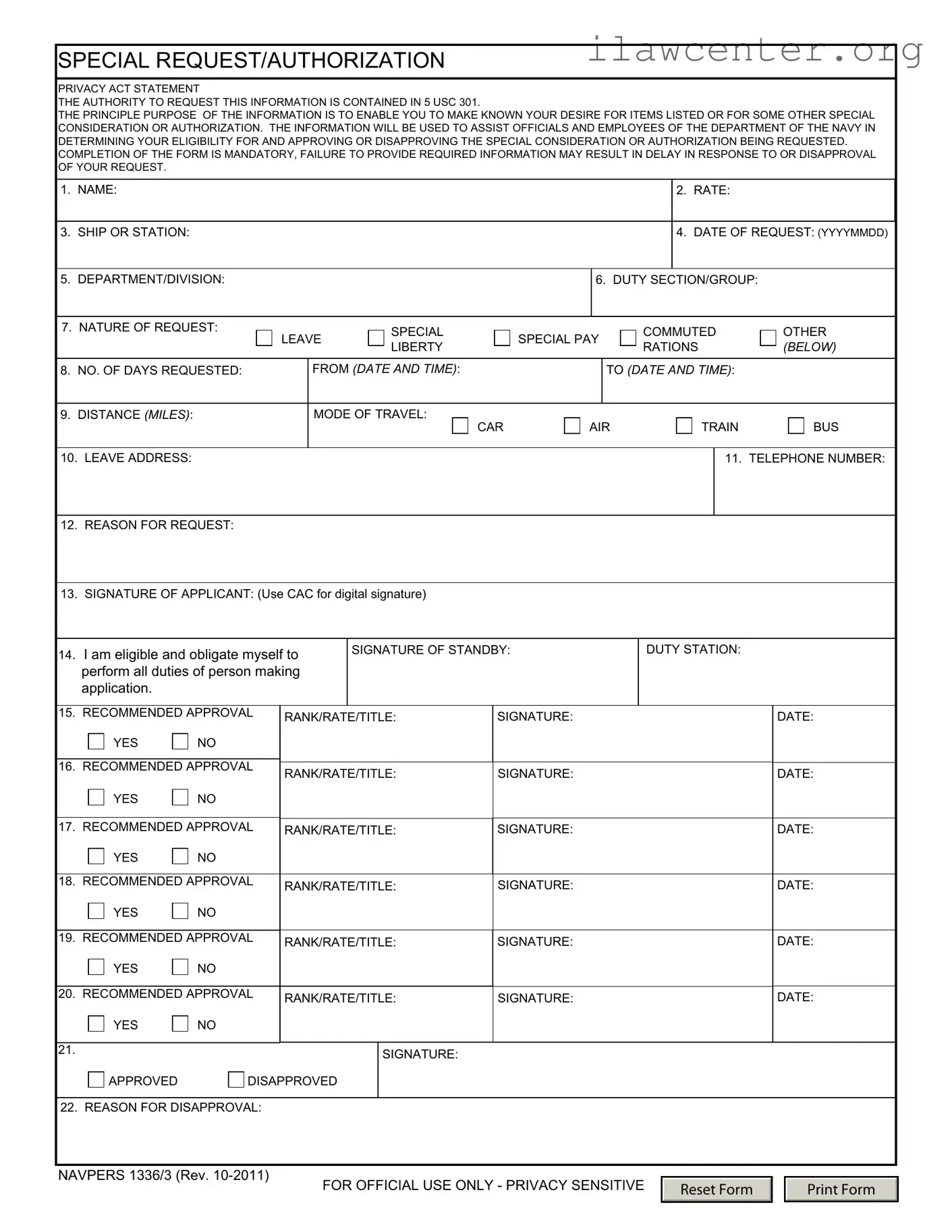
- Enter your name: Fill in your full name in the designated space.
- Rate: Indicate your military rate or rank.
- Ship or Station: Write the name of your ship or duty station.
- Date of Request: Input the date you are submitting the form in the format YYYYMMDD.
- Department/Division: Specify your department or division.
- Duty Section/Group: Provide the name of your duty section or group.
- Nature of Request: Check the appropriate box for your request type (Leave, Special Pay, Commuted Rations, Liberty, Other).
- Number of Days Requested: State the number of days you are requesting.
- From (Date and Time): Specify the start date and time of your request.
- To (Date and Time): Specify the end date and time of your request.
- Distance (Miles): Indicate the distance you will be traveling.
- Mode of Travel: Select your mode of travel (Car, Air, Train, Bus).
- Leave Address: Provide the address where you can be reached during your leave.
- Telephone Number: Enter your contact number.
- Reason for Request: Clearly explain the reason for your request.
- Signature of Applicant: Sign the form (use your CAC for a digital signature).
- Signature of Standby: If applicable, sign and state your duty station.
- Recommended Approval: Have the recommending officials fill in their rank/rate/title, sign, and date the form for approval.
- Final Approval: The final approver will sign and indicate whether the request is approved or disapproved.
- Reason for Disapproval: If disapproved, provide a brief reason for the decision.