Instructions on Utilizing New Construction Selection Sheet
After completing the New Construction Selection Sheet, you will have a clear record of your preferences for various elements of your new home. This form helps ensure that your selections are documented and can be processed efficiently. If you need more space, simply attach additional pages with your signature and date.
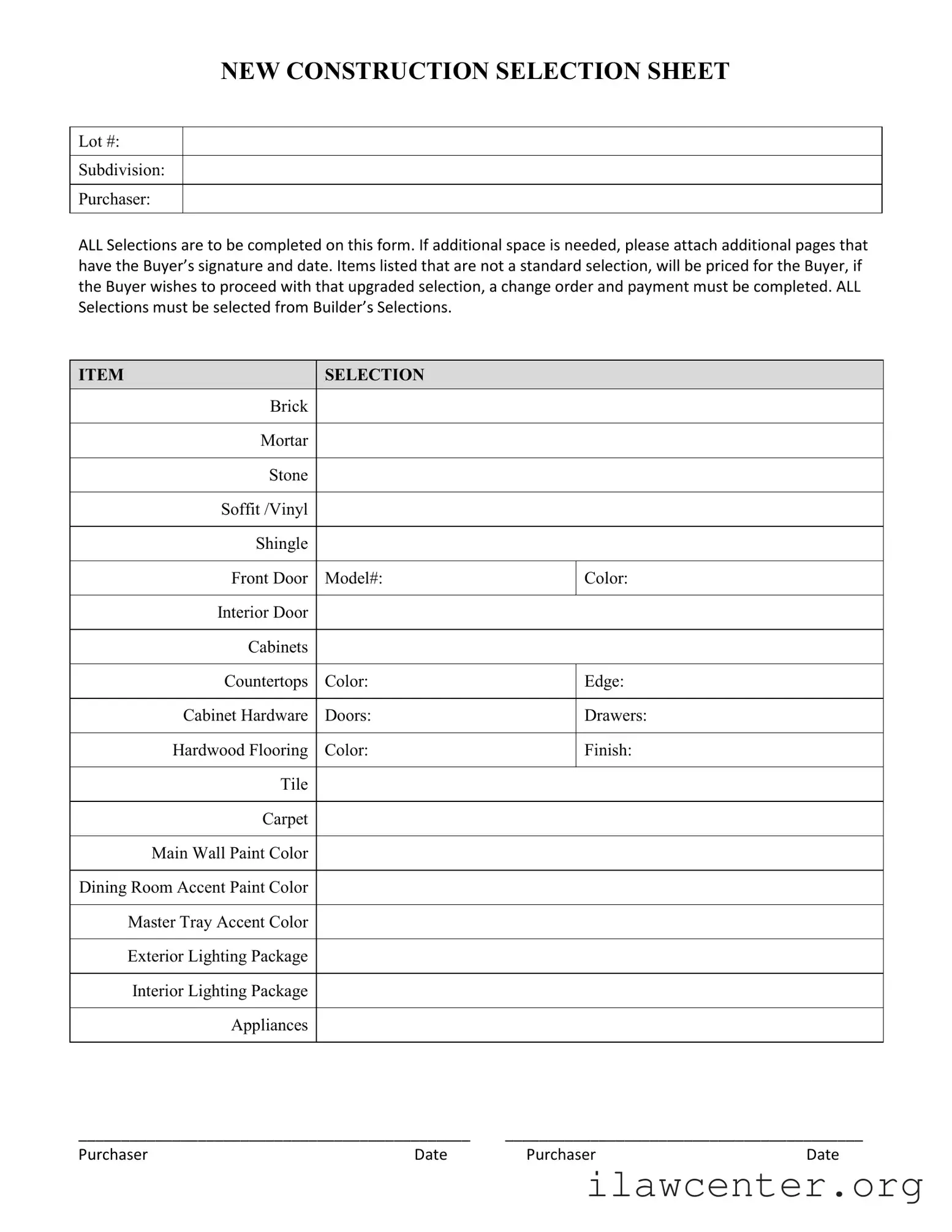
- Start by filling in the Lot # and Subdivision at the top of the form.
- Enter your name as the Purchaser.
- Review the list of items available for selection. Make sure all selections are from the Builder’s Selections.
- For each item, fill in your choice:
- Brick - Select the type you prefer.
- Mortar - Choose the color.
- Stone - Specify your selection.
- Soffit/Vinyl - Indicate your choice.
- Shingle - Select the type.
- Front Door - Enter the model number and color.
- Interior Door - Specify your preferences.
- Cabinets - Choose your color, edge, and hardware for doors and drawers.
- Countertops - Indicate your selection.
- Hardwood Flooring - Specify the color and finish.
- Tile - Enter your choice.
- Carpet - Select your preference.
- Main Wall Paint - Choose a color.
- Dining Room Accent Paint - Specify a color.
- Master Tray Accent Color - Indicate your choice.
- Exterior Lighting Package - Select your preference.
- Interior Lighting Package - Choose your selection.
- Appliances - List your choices.
- Once all selections are made, sign and date the form as the Purchaser.
- If additional space is needed, attach extra pages with your signature and date.