Instructions on Utilizing Order Quest Diagnostics
Completing the Order Quest Diagnostics form is a straightforward process. By following the steps outlined below, you can ensure that all necessary information is accurately provided. This will help facilitate the ordering of tests and ensure that the results are sent to the appropriate parties.
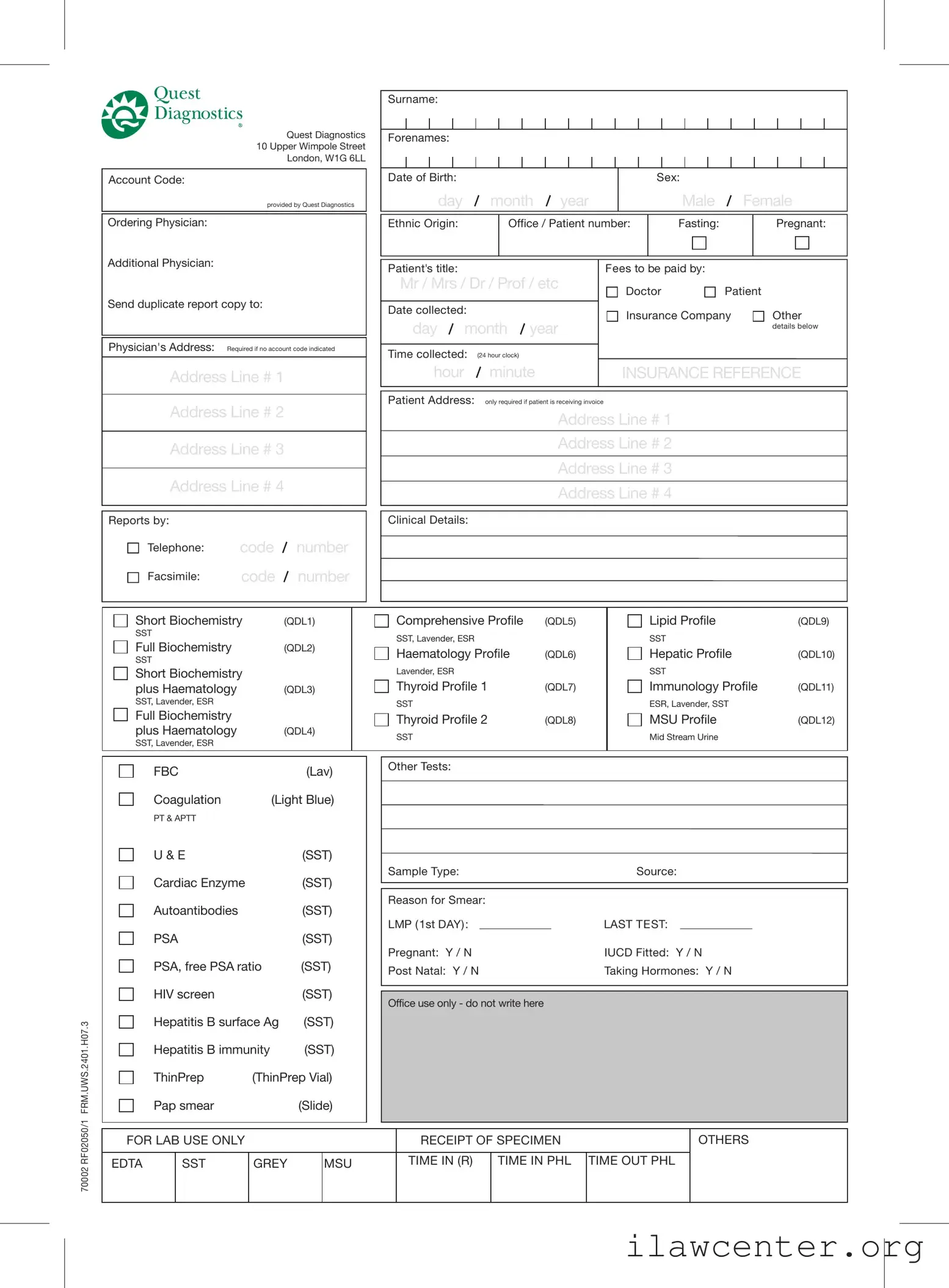
- Begin by filling in your Surname at the top of the form.
- Provide the Account Code if you have one. If not, leave this blank.
- Enter the name of the Ordering Physician.
- Fill in your Forenames.
- Input your Date of Birth in the format of day, month, and year.
- Select your Sex by marking either Male or Female.
- Indicate your Ethnic Origin.
- Provide your Office / Patient number.
- Mark whether you are Fasting.
- Indicate if you are Pregnant.
- If applicable, list an Additional Physician.
- If you want a duplicate report, provide the Physician's Address and ensure it is filled out completely.
- Fill in your Patient's title (Mr, Mrs, Dr, Prof, etc.).
- Enter the Date collected in the format of day, month, and year.
- Specify the Time collected using a 24-hour clock format.
- Indicate who will pay the fees by selecting one of the options: Doctor, Patient, Insurance Company, or Other.
- If applicable, provide the INSURANCE REFERENCE.
- Fill in your Patient Address if you are receiving an invoice, including all address lines.
- Choose the Clinical Details by selecting the appropriate tests from the list provided.
- If there are any Other Tests required, specify them.
- Indicate the Sample Type and Source.
- Provide a Reason for Smear if applicable.
- Fill in the LMP (1st DAY) and LAST TEST dates if relevant.
- Indicate if you are Pregnant, if you have an IUCD fitted, if you are post-natal, or if you are taking hormones.
After completing the form, review all entries for accuracy. Ensure that all necessary signatures are provided where required. This will help in processing your request efficiently.