Instructions on Utilizing Sc Dmv 400
Filling out the SC DMV 400 form is an important step in applying for a vehicle title in South Carolina. After completing the form, it should be submitted to the South Carolina Department of Motor Vehicles (SCDMV) for processing. Be sure to double-check all information for accuracy to avoid delays in receiving your title.
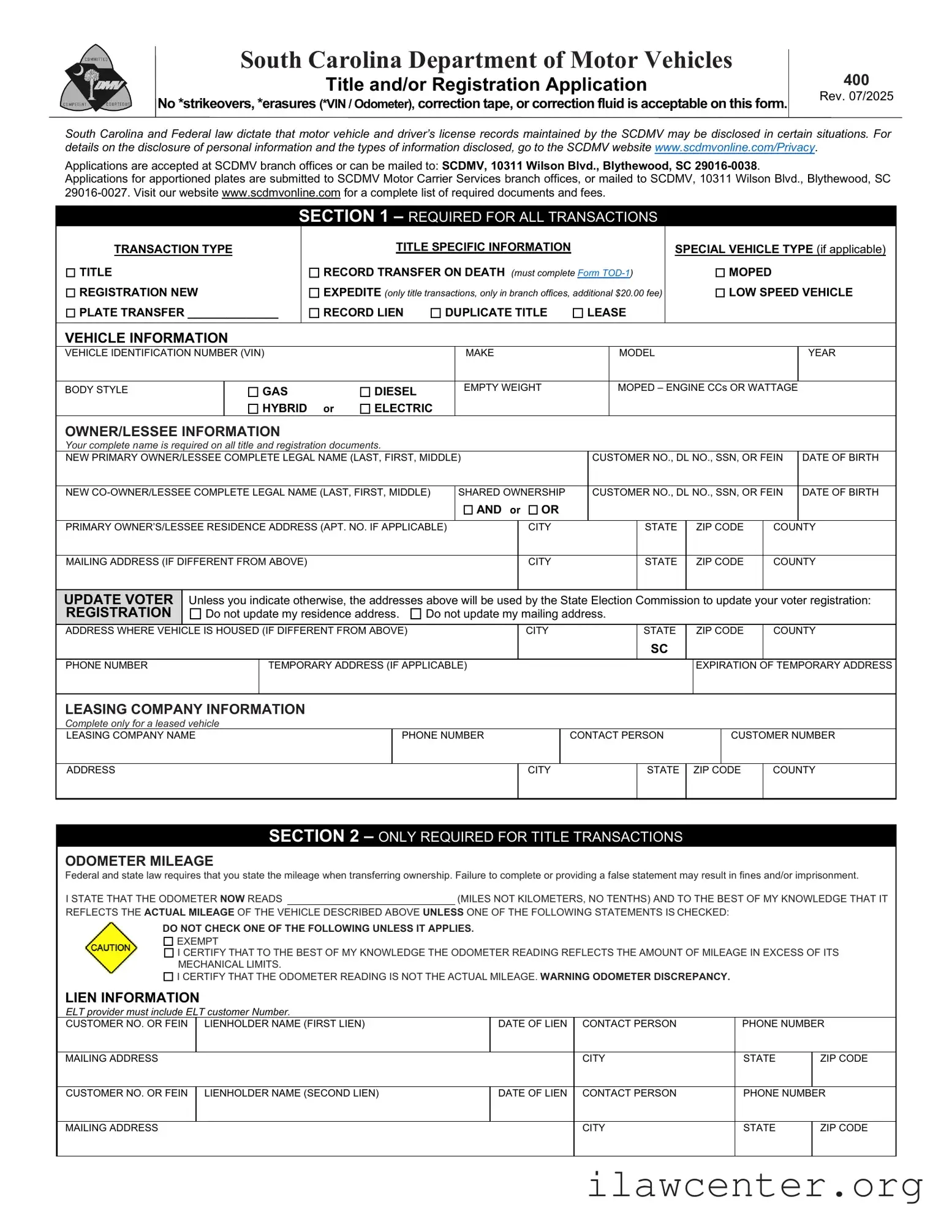
- Obtain the Form: Download or print the SC DMV 400 form from the SCDMV website or pick up a copy at your local DMV office.
- Select the Application Type: Check the appropriate box for whether you are applying for a new title and registration, a title and plate transfer, or title only.
- Fill Out Vehicle Information: Provide details such as the vehicle identification number (VIN), make, model, year, body style, empty weight, gross vehicle weight (GVW), and the address where the vehicle is housed.
- Complete Odometer Mileage: State the current odometer reading and check the appropriate box if the mileage is exempt or if there is a discrepancy.
- Enter Owner Information: Fill in the primary owner’s and co-owner’s legal names, contact information, and addresses. Include driver’s license numbers and dates of birth.
- Provide Lien Information: If applicable, indicate whether there is a second lien and provide the lienholder’s details.
- Sales Tax/IMF Exemption: Complete this section if applicable, noting any exemptions and the sales price of the vehicle.
- Seller Information: Enter the seller or dealer's name, sales price, and address.
- Insurance Certification: Confirm that the vehicle is insured and provide the name of the insurance company.
- Donation Option: If desired, indicate your wish to donate to Donate Life SC and specify the amount.
- Sign the Form: The primary owner and co-owner must sign and date the form, certifying that all information is accurate.
- Submit the Form: Mail the completed form to the SCDMV at the address provided on the form or submit it in person at a local DMV office.